

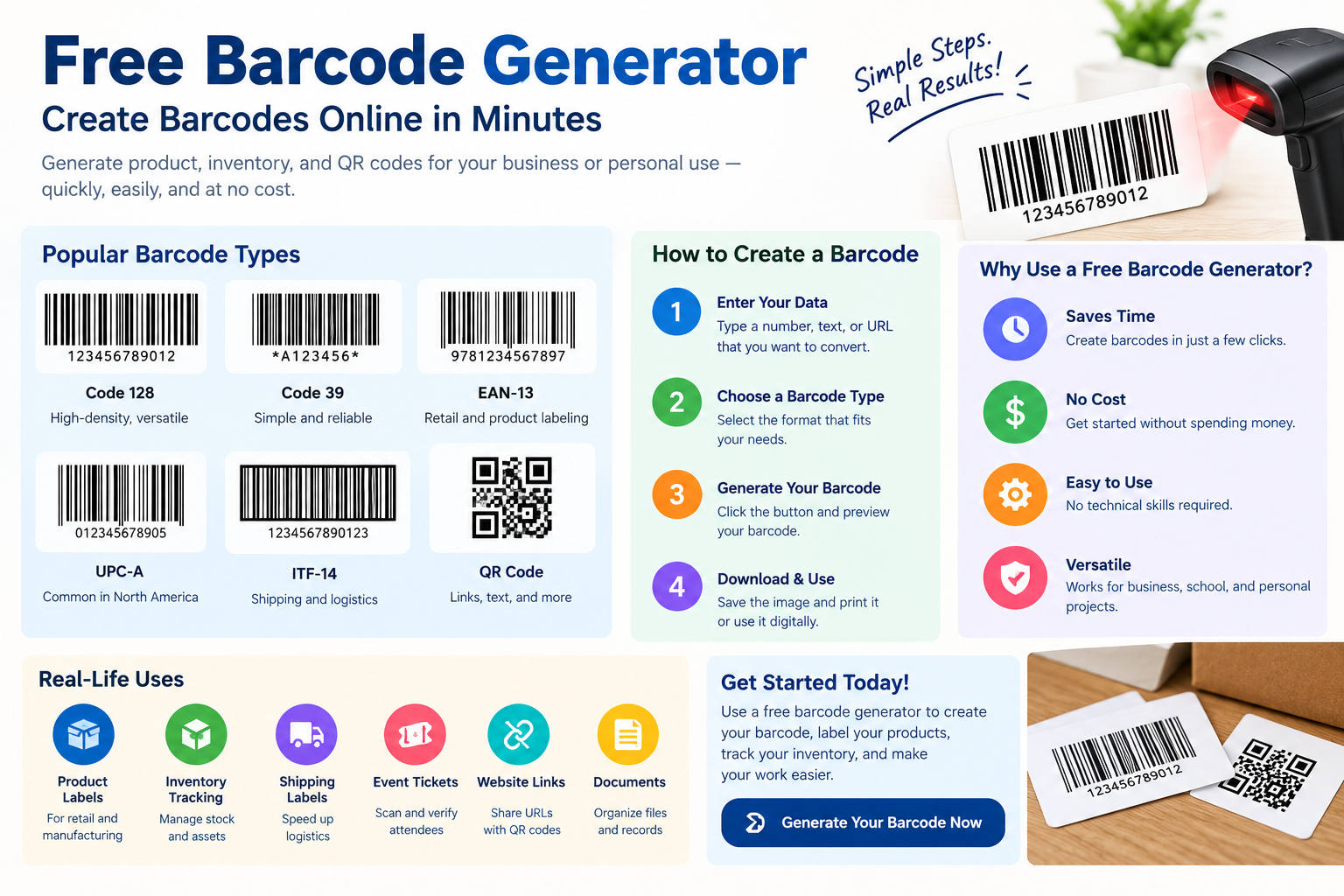
Discover how to use a free barcode generator to create barcodes online for products, inventory, retail, and business needs without extra costs.
A free barcode generator makes it easy to create barcodes online without purchasing expensive software. Whether you manage a small business, sell products, organize inventory, or label items, barcodes can help simplify identification and tracking. Many online tools let you generate different barcode formats, customize settings, and download images for labels or packaging. However, choosing the right barcode type depends on how you plan to use it and whether it needs to work with a retail or inventory system. In this guide, we explore 11 practical ways to create barcodes online and explain how to choose a suitable tool for your needs.
Barcodes are everywhere. You see them on product packaging, shipping labels, invoices, library cards, tickets, and inventory tags. They may look like simple lines or squares, but they help businesses store and share information quickly.
The good news is that you do not need expensive software to create a basic barcode. A barcode generator free tool can help you make a barcode online in just a few steps.
Whether you run a small business, manage inventory, sell products online, or need a barcode for a personal project, free barcode tools can save time. You can enter your information, select the barcode format, generate the code, and download it for printing or digital use.
However, choosing the correct barcode type is important. A barcode designed for internal inventory may not work for retail products. A QR code is also different from a traditional barcode.
This guide explains what a barcode generator is, how free barcode generators work, which barcode types you can create, how to make one, and how to make sure your finished barcode can be scanned correctly.
What Is a Barcode Generator?
A barcode generator is an online tool or software program that converts information into a machine-readable barcode.
The information can be a number, product identifier, URL, text, or another supported data format.
The generator takes your input and converts it into a visual pattern that a compatible barcode scanner can read.
Traditional one-dimensional barcodes use lines and spaces of different widths. Two-dimensional barcodes, such as QR codes, use patterns of squares or other shapes to store more information.
A free barcode generator provides this functionality without requiring you to purchase dedicated barcode design software.
For example, if you need an internal inventory label, you might enter an item number such as INV-10025. The generator can convert that information into a barcode that you can print and attach to the item.
How Does a Free Barcode Generator Work?
Using an online barcode generator is usually simple.
You start by choosing the barcode format that matches your needs. Next, you enter the information that the barcode should represent.
The generator processes that information and creates the barcode image.
You can then preview the result and download it in a supported format.
For a simple project, the entire process may take only a few minutes.
The important part is choosing the correct barcode standard before generating the image. Different barcode formats are designed for different purposes and have different data requirements.
Why Use a Free Barcode Generator?
A free barcode generator can be useful when you need a barcode but do not want to buy specialized software.
For a small business, this can be a practical way to create internal inventory labels.
For example, a home-based seller may have 100 products stored in a small warehouse. Instead of manually writing product numbers on every item, the seller can generate barcodes for internal identification.
A school may also use barcodes for equipment tracking.
A freelancer might create barcode labels for files, assets, or event materials.
The main benefit is convenience. You can create a barcode from a browser without learning complicated design software.
Common Types of Barcodes
Not every barcode works in the same way. Selecting the right format is one of the most important parts of the process.
Code 128
Code 128 is a high-density linear barcode commonly used for logistics, shipping, inventory, and internal identification.
It can represent letters, numbers, and other supported characters.
Because it can store a relatively large amount of information in a compact linear format, Code 128 is useful for many business applications.
For example, a warehouse could use Code 128 to represent an internal shipment or inventory reference.
Code 39
Code 39 is another traditional linear barcode format.
It has been used in areas such as manufacturing, inventory, logistics, and identification.
One advantage is that it can represent letters and numbers.
However, the barcode can take more physical space than some alternatives when encoding the same amount of information.
EAN-13
EAN-13 is widely associated with retail products.
It is a 13-digit barcode standard used in many parts of the world for product identification.
If you sell products through retailers, marketplaces, or other commercial channels, you should not simply create a random EAN-13 number and assume it is a valid product identifier.
Retail product identification normally involves obtaining an appropriate identifier through the relevant numbering organization, such as GS1.
A free barcode generator can create the visual free barcode generator from a valid number, but it does not automatically provide you with a legitimate product number.
UPC-A
UPC-A is commonly used for retail products, particularly in the United States and Canada.
It normally represents a 12-digit product identifier.
Like EAN-13, the important distinction is between generating a barcode image and obtaining an official product identifier.
A generator can turn your valid number into a scannable barcode. It does not give a product a legitimate identification number simply because you typed random digits into a generator.
ITF-14
ITF-14 is designed for specific applications involving trade items and logistics.
It is often associated with outer cases and shipping units rather than the barcode consumers normally scan at a checkout counter.
The exact requirements depend on how the product is being handled through the supply chain.
QR Code
A QR code is a two-dimensional code rather than a traditional one-dimensional barcode.
QR codes can store information such as website addresses, contact details, text, and other data.
They are especially useful for marketing, menus, event information, product instructions, and digital experiences.
For example, a restaurant can place a QR code on a table so customers can open a digital menu with their smartphones.
Although QR codes are often called barcodes in everyday conversation, they use a different structure and provide different capabilities.
Barcode Generator Free for Business
Small businesses can use free barcode generators for many internal tasks.
Inventory management is one common example.
Imagine a small clothing store with hundreds of products. Each product can have an internal item number. A barcode can represent that number and make stock checks faster.
An employee can scan an item instead of typing its reference manually.
This can reduce typing errors and make inventory work more efficient.
However, a business should make sure its free barcode generator system matches the software and scanners it uses.
If your inventory application expects Code 128, generating a QR code will not solve the problem.
Free Barcode Generator for Inventory
Inventory labels need to be clear, durable, and easy to scan.
When creating inventory barcodes, keep the barcode large enough for the scanner to read.
Avoid placing the barcode on a curved or damaged surface if possible.
The printed label should also have enough contrast between the bars and background.
For example, black bars on a clean white label are usually easier for scanners to read than a low-contrast design.
Before printing hundreds of labels, test a small batch.
Scan them using the same type of device that employees will use during normal operations.
This simple test can prevent a lot of wasted labels.
Free Barcode Generator for Product Labels
Product labeling requires more care than internal inventory labeling.
If the free barcode generator is intended for retail checkout, you may need an official product identifier.
For example, products sold through established retail channels may require a UPC or EAN identifier associated with the product.
The barcode generator creates the graphic representation of the identifier. It does not replace the process of obtaining the identifier itself.
This distinction is important for new businesses.
A random number that happens to produce a valid-looking barcode is not necessarily a legitimate retail product code.
If your products will be sold through retailers or major marketplaces, check their barcode requirements before creating labels.
How to Create a Barcode Online
Creating a barcode online is usually straightforward.
First, decide what information you want the barcode to contain.
For an internal inventory system, this might be a product ID.
For a shipping process, it might be a shipment reference.
For a QR code, it could be a website URL.
Next, select a barcode format that supports your information.
Enter the data into the generator and create the barcode.
After generating the image, inspect it carefully.
Make sure the information is correct before downloading or printing it.
Finally, scan the barcode with the intended scanner or device.
Testing is important because a free barcode generator that looks correct to the human eye is not necessarily guaranteed to scan correctly.
How to Make a Barcode Scannable
The goal of a barcode is not to look attractive. Its primary purpose is to be read accurately.
Several design factors can affect scanning.
Use Good Contrast
A barcode needs clear contrast.
Dark bars against a light background are a common choice because they provide strong visual separation.
Avoid backgrounds with patterns, gradients, or other visual elements that interfere with the barcode.
Keep Enough White Space
Barcodes need a clear area around them.
This surrounding space helps scanners identify where the barcode begins and ends.
Do not place text, borders, logos, or decorative graphics too close to the barcode.
Choose the Correct Size
A barcode that is too small may be difficult for a scanner to read.
The correct size depends on the barcode type, printing method, scanner, and application.
Do not shrink the free barcode generator simply to make a label look cleaner.
Use a High-Quality File
When possible, use a suitable high-resolution or vector format for professional printing.
A low-quality image can become blurry when enlarged or printed.
For business labels, test the actual printed result rather than checking only the barcode on your screen.
Can You Create a Barcode From Text?
Yes, depending on the barcode format.
Some barcode standards can represent letters and numbers, while others are designed mainly for numeric data.
For example, Code 128 can represent a broad range of characters.
A simple barcode generator will usually tell you if the information you entered is not supported by the selected format.
If your data contains letters, numbers, symbols, or long text, check the barcode type before generating the code.
Can You Create a Barcode From a Number?
Yes.
Many barcode formats are designed to represent numeric identifiers.
For example, you may use a number as an internal product ID or reference number.
However, the fact that a number can be converted into a barcode does not mean that the number is officially assigned to your product.
This is particularly important for retail free barcode generator.
If a barcode will be used in a commercial supply chain, confirm the required identification standard first.
Barcode vs QR Code
Traditional barcodes and QR codes have different designs and uses.
A standard one-dimensional barcode stores information using a pattern of bars and spaces along one direction.
A QR code is two-dimensional and uses a grid-like pattern.
QR codes can store more types of information and are easy to scan using modern smartphones.
A retail store may use a traditional UPC barcode for checkout, while a manufacturer may use Code 128 for internal tracking.
A marketing team might use a QR code to send customers to a website.
The correct choice depends on what you need the code to do.
Can You Use a Free Barcode Generator for Amazon?
The answer depends on the specific product, marketplace requirements, and type of barcode you need.
Amazon and other ecommerce platforms can have specific product identification and labeling requirements.
If you sell products online, do not assume that any free barcode generator by a free website will meet marketplace requirements.
Check the current requirements of the marketplace and the product identification organization relevant to your products.
A free generator is best viewed as a tool for creating the visual barcode, not as a replacement for official product registration or identification.
Can You Print a Barcode at Home?
Yes, many basic barcodes can be printed at home.
You can generate the barcode, download the image, place it into a document or label design, and print it using a suitable printer.
The quality of the printer and label material matters.
If the barcode is intended for regular scanning, print a test label first.
Scan it from different angles and distances using the equipment you expect to use.
For larger commercial operations, dedicated label printers and suitable label materials may provide more consistent results.
What File Format Should You Use?
The best file format depends on how you plan to use the free barcode generator.
PNG can work well for simple digital documents and general printing.
SVG or another vector format can be useful when you need to resize the barcode without losing sharpness.
PDF can be useful for professional print layouts.
If a generator provides several download options, select the format that matches your workflow.
For example, a small internal label may work perfectly with PNG, while a professional print project may benefit from a vector-based format.
Are Free Barcode Generators Safe?
Most basic free barcode generator is straightforward, but you should still pay attention to the website you use.
Avoid entering sensitive personal information into an unknown online generator.
If you only need to convert a product number into a barcode, there is usually no reason to provide private information.
Also check the downloaded file before opening it if the generator website seems unfamiliar.
A reputable tool should clearly explain what it does and should not require unnecessary information for a simple barcode-generation task.
Common Mistakes When Creating Barcodes
One common mistake is choosing the wrong barcode type.
For example, someone may create a Code 128 barcode when their retail system specifically expects an EAN or UPC.
Another mistake is using random product numbers.
A barcode image can be generated from many numbers, but that does not make the number a registered product identifier.
Poor printing is another problem.
A barcode can fail because it is too small, blurry, damaged, or surrounded by distracting graphics.
Some users also forget to test their barcode before mass printing.
Always scan a sample first.
How a Small Business Can Use Barcodes
Imagine a small online clothing business with 500 products.
The owner can assign internal IDs to products and use Code 128 free barcode generator for stock tracking.
When new inventory arrives, each item can receive a label.
During a stock check, the employee scans the barcode and records the product in the inventory system.
This process can be faster and more accurate than typing product numbers manually.
The business does not necessarily need a complex enterprise system to benefit from barcode technology.
A simple barcode generator, label printer, scanner, and suitable inventory software can create a basic workflow.
Free Barcode Generator for Events
Barcodes can also be useful for events.
For example, an organizer can assign unique codes to tickets or registration records.
A scanner can then read the code when attendees arrive.
However, event organizers should use a barcode system designed for their ticketing platform.
Simply generating a random barcode does not automatically create a secure ticketing system.
If the same barcode can be copied and reused, it may not provide the security required for ticket validation.
The Future of Barcode Technology
Barcodes continue to evolve as businesses look for faster and more connected ways to identify products and information.
Two-dimensional codes can store more information than many traditional one-dimensional formats.
Some businesses are also exploring richer product information through QR-based systems.
This can connect physical products to digital information such as product details, instructions, authentication information, or web pages.
Even as technology changes, the basic idea remains the same: convert information into a format that machines can read quickly and accurately.
Frequently Asked Questions About Free Barcode Generators
Is there a completely free barcode generator?
Yes. Many online tools allow users to create basic barcode images without paying. The available formats, download options, and commercial-use terms can vary between services.
Can I create a free barcode generator?
Yes. You can create many types of barcodes for free using online barcode generator tools. You simply need to choose a supported barcode format and enter the required information.
What is the best free barcode generator?
The right tool depends on your needs. Look for a free barcode generatorr that supports the barcode standard you require, produces a clear image, provides a suitable download format, and explains its usage terms.
Can I generate a barcode from a product number?
Yes. A barcode generator can convert a valid product number into a barcode image. However, the generator does not automatically assign or register an official product number.
Can I create a UPC barcode for free?
You can generate a UPC barcode image for free if you already have a valid UPC number. Obtaining an official product identifier is a separate process and may involve registration or fees.
Can I create an EAN barcode for free?
Yes, a free generator can create the visual representation of an EAN number. However, businesses selling products commercially should obtain valid product identifiers through the appropriate system before generating the barcode.
Can a barcode contain a website URL?
Traditional linear free barcode generator have limited data capacity and are not normally used for long website URLs. A QR code is generally more suitable when you want people to scan a code and open a website.
Can I print a barcode from a free generator?
Yes. You can usually download the generated barcode and print it on paper, labels, packaging, or other suitable materials. Always test a printed sample before producing a large quantity.
Why is my barcode not scanning?
A barcode may fail to scan because of poor image quality, incorrect barcode type, insufficient contrast, incorrect sizing, damaged printing, or inadequate surrounding space. Test the barcode with the actual scanner you plan to use.
Are free barcode generators safe?
A reputable free barcode generator can be safe for basic barcode creation. Avoid entering sensitive information into unknown websites and be cautious when downloading files from unfamiliar services.
Can I use a free barcode generator for my business?
Yes, free barcode generators can be useful for internal inventory labels, asset tracking, events, and other business tasks. For retail products, make sure your barcode and product identifiers meet the requirements of your retailers and marketplaces.
Is a barcode the same as a QR code?
No. A traditional barcode usually stores information in a one-dimensional pattern of bars and spaces. A QR code is a two-dimensional code that can store more information and is commonly scanned with smartphones.
Conclusion
A barcode generator free tool can be a simple and useful solution when you need to create machine-readable codes without buying specialized software.
You can use barcodes for inventory, product labels, asset tracking, shipping, events, documents, and many other tasks. Free generators make the technical part easy: enter your information, choose the right format, generate the barcode, and download the result.
However, creating a barcode image is only one part of a complete barcode system. If you are using barcodes for retail products, make sure you have the correct official product identifier and understand the requirements of your retailer or marketplace.
For everyday internal use, start with a simple barcode format that works with your scanner and software. Create a test barcode, print it, and scan it before producing a large batch.
If you need a barcode today, choose the right barcode type, enter accurate information, generate your code, and test it before using it. A few minutes of testing can help ensure your barcode works correctly when you need it most.
