
Discover how cloud accounting software helps businesses manage finances, track expenses, automate invoices, and improve financial planning.
Introduction
Managing business finances can take time. Tracking expenses, sending invoices, checking payments, and preparing reports can quickly become hard to manage. Traditional accounting methods often add more work because they rely on manual records and files stored on a single computer. Cloud accounting software offers a simpler way to handle these tasks.
With cloud accounting, businesses can access financial records through the internet. They can check income, review expenses, send invoices, and monitor cash flow from almost anywhere. Many platforms also offer automated reports, bank connections, and tools that help reduce manual data entry.
Small businesses, freelancers, startups, and large companies can all benefit from this technology. It can make daily accounting easier and help business owners understand their financial position.
However, choosing the right accounting platform requires careful thought. Businesses need to consider their budgets, reporting needs, security requirements, and plans for growth.
This guide explains how cloud accounting software works, its main benefits, its potential drawbacks, and how to choose a suitable solution for your business.
What Is Cloud Accounting Software?
Cloud accounting software is an online tool that helps businesses manage their financial records. Instead of keeping all accounting data on one local computer, users access the software through an internet connection.
The provider hosts the software and stores the data on its servers. Depending on the platform, users can access their accounts through a web browser or mobile app.
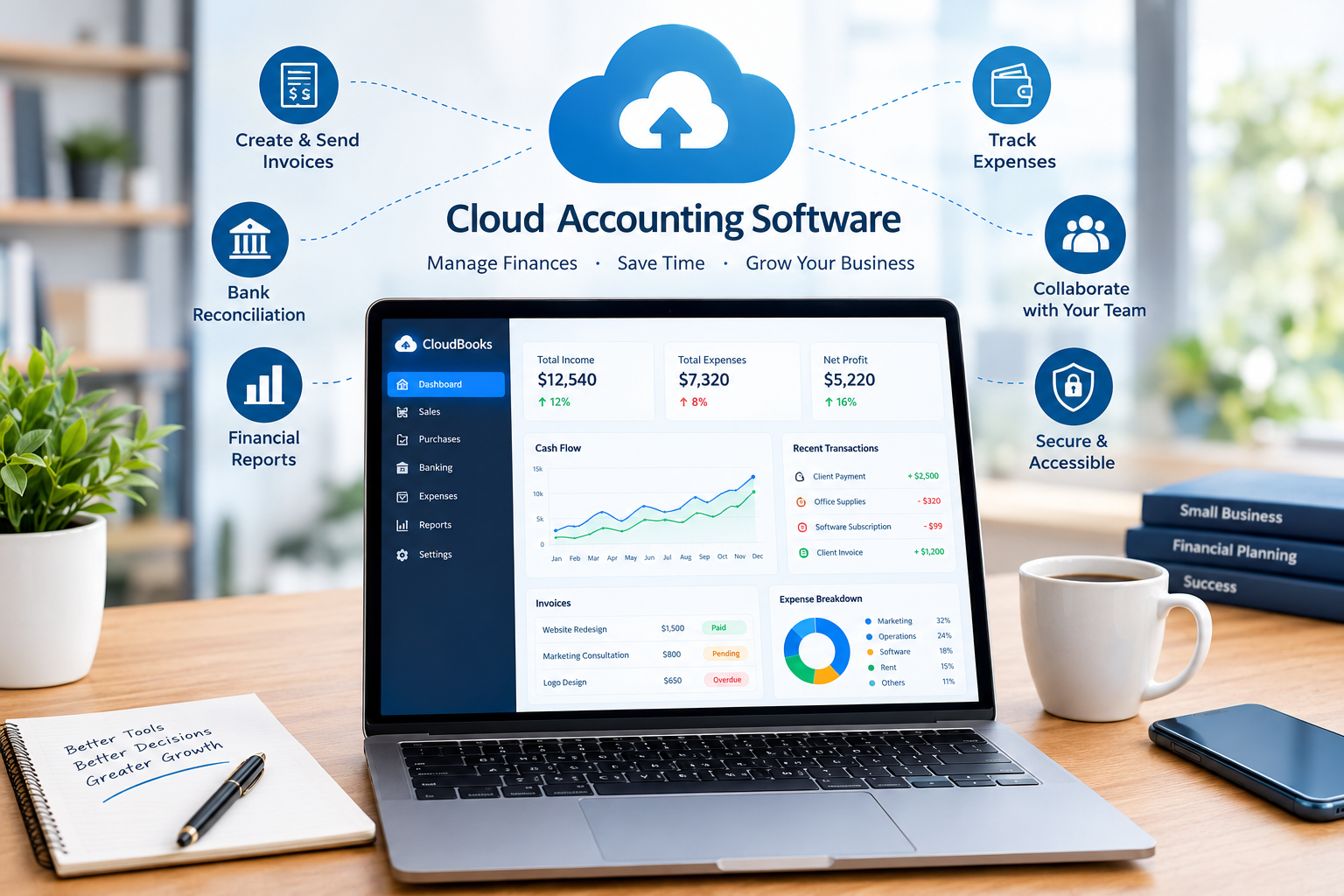
Cloud accounting software can help businesses record sales, track expenses, manage invoices, reconcile bank transactions, and prepare financial reports.
For example, imagine a small online store that sells clothing. The owner needs to record sales, pay suppliers, track shipping costs, and calculate monthly profit. Without accounting software, the owner might use several spreadsheets and enter transactions manually.
With a cloud accounting platform, the owner can connect a supported bank account, record sales, create invoices, and review expenses in one place. Some transactions may be imported automatically, although the owner still needs to check that records are correct.
This approach makes financial information easier to manage and review.
How Does Cloud Accounting Work?
Cloud accounting works through a hosted software service. Users sign in to their accounts, enter financial information, and access the features included in their subscription.
The software stores and processes information online. When an authorized user updates a record, the change becomes available to other authorized users according to the platform’s settings.
For example, a business owner can issue an invoice while an accountant reviews the related financial records from another location. Both can work with the same accounting system without exchanging multiple versions of a spreadsheet.
Many platforms also support bank feeds, payment services, payroll integrations, and financial reporting tools.
The exact features depend on the provider and subscription plan. Businesses should review these details before choosing a service.
Cloud Accounting vs. Traditional Accounting Software
Traditional desktop accounting software usually runs on a computer or a local business network. Cloud accounting software is hosted online and can generally be accessed through a browser or supported app.
Desktop software may suit businesses that prefer local control over their systems. However, remote access can require additional setup, and sharing records may be less convenient.
Cloud accounting makes collaboration easier because authorized users can access the same financial records from different locations. Providers also manage many technical tasks, such as software updates and server maintenance.
Neither option is perfect for every business. The best choice depends on internet access, security requirements, budget, and the level of control a company needs.
9 Powerful Benefits of Cloud Accounting Software
Cloud accounting offers several advantages that can improve financial management. The value of each benefit depends on how a business operates and which features it uses.
1. Access Financial Records From Almost Anywhere
One major benefit of cloud accounting software is remote access.
Business owners often need financial information when they are away from their offices. They may need to check whether a customer has paid, review an expense, or send an invoice while traveling.
Cloud accounting allows authorized users to access supported features through an internet-connected device. This can make financial tasks easier for people who work from home, travel frequently, or manage several business locations.
For example, a freelance designer can review outstanding invoices from a laptop at home and check payment records while meeting a client.
Remote access also helps accountants work with clients without needing physical copies of every financial document.
However, users should protect their accounts with strong passwords and multifactor authentication where available. Public computers and unsecured networks can create security risks.
2. Reduce Manual Accounting Work
Manual accounting can consume many hours each month. Employees may need to enter transactions, calculate totals, organize receipts, and prepare reports.
Cloud accounting software can reduce some of this work through automation.
Many platforms support recurring invoices, automatic transaction imports, scheduled reports, and rules for categorizing common expenses. These features can reduce repetitive tasks and help employees focus on more valuable work.
Consider a consulting business that sends the same monthly invoice to several clients. Instead of creating each invoice from scratch, the owner may be able to schedule recurring invoices.
The cloud accounting software can prepare the invoices automatically, depending on the settings. The owner still needs to confirm that the amounts, dates, and customer details are correct.
Automation does not remove the need for financial review. Incorrect rules or imported transactions can lead to mistakes if nobody checks them.
The best results come from combining automation with regular reviews.
3. Improve Cash Flow Management
Cash flow is essential to business survival. A company may report strong sales but still struggle to pay bills if customers delay their payments.
Cloud accounting software can help businesses monitor money coming in and going out. Many platforms provide cash flow reports, accounts receivable summaries, expense records, and bank balances.
These tools help business owners identify potential problems before they become serious.
For example, a marketing agency may have several unpaid invoices due within 30 days. At the same time, it must pay employee salaries and software subscriptions.
By reviewing outstanding invoices and upcoming expenses, the agency can estimate whether it will have enough cash to meet its obligations.
Some platforms also provide cash flow forecasts. These estimates depend on the information entered and the assumptions used, so they should not be treated as guaranteed predictions.
Regular cash flow reviews help businesses plan payments, follow up with customers, and make better spending decisions.
4. Create Invoices and Track Payments
Late payments can create problems for small businesses and freelancers. Preparing invoices manually and checking payment status can make the process even more difficult.
Cloud accounting software often includes invoicing tools that help businesses create professional invoices, set payment terms, and track outstanding balances.
Some platforms support online payment options or connect with external payment providers. Available methods and fees vary by country and service.
For example, a freelance writer can create an invoice immediately after completing a project. The invoice may include the client’s details, the agreed fee, the due date, and a description of the work.
The writer can then review whether the invoice has been paid and follow up if the payment is overdue.
Some systems also send automated payment reminders. This can reduce the need for repeated manual messages.
Clear invoices and consistent follow-ups can improve payment management, although they cannot guarantee that every customer will pay on time.
5. Access Financial Reports More Easily
Financial reports help business owners understand how their companies are performing.
Cloud accounting platforms commonly provide reports such as profit and loss statements, balance sheets, expense summaries, and accounts receivable reports.
A profit and loss statement shows revenue, expenses, and profit or loss over a specific period. A balance sheet presents assets, liabilities, and equity at a particular date.
These reports help businesses identify spending patterns, compare performance across periods, and review their financial position.
For example, an online retailer might discover that delivery costs have increased faster than sales. By reviewing expense reports, the owner can investigate shipping fees and consider whether different delivery arrangements would help.
Reports are only useful when the underlying data is accurate. Missing transactions, incorrect categories, and unrecorded liabilities can distort the results.
Business owners should review their records regularly and ask a qualified accountant for help when financial statements are unclear.
6. Support Collaboration Between Teams
Many businesses rely on owners, accountants, bookkeepers, and managers to maintain accurate financial records.
Cloud accounting software can make collaboration easier by allowing authorized users to access the same system.
Instead of emailing spreadsheets back and forth, team members can work with shared records. Depending on the platform, they may also leave notes, attach receipts, or review transaction histories.
For example, a small business owner can upload a supplier receipt while the bookkeeper reviews the expense. The accountant can later use the record when preparing financial reports.
Role-based permissions can help businesses limit access to sensitive information. An employee who records expenses may not need the same permissions as a business owner or financial manager.
Companies should review access rights regularly, especially when employees leave or change roles.
Better collaboration can reduce confusion and help teams maintain more consistent financial records.
7. Reduce Dependence on Paper Records
Paper invoices, printed statements, and physical receipts can be difficult to organize. Documents may become damaged, misplaced, or hard to find when needed.
Cloud accounting software can help businesses maintain digital financial records.
Depending on the platform, users may be able to attach receipts to transactions, upload invoices, and store supporting documents alongside accounting entries.
This can make it easier to locate information during a financial review or tax preparation.
For example, a small construction company may handle receipts for fuel, tools, building materials, and equipment repairs. Keeping digital copies linked to the relevant transactions can make expense tracking more organized.
Businesses should still maintain suitable backups and follow applicable record-retention rules. A cloud account should not be treated as the only possible copy of every important document.
Digital records can improve organization, but they need clear naming practices, suitable access controls, and regular checks.
8. Support Business Growth
Accounting needs often change as a business expands.
A freelancer may initially need only basic invoicing and expense tracking. Later, the same person may hire employees, work with international clients, or manage multiple projects.
Cloud accounting software can provide a more structured system for handling these growing needs.
Depending on the provider, businesses may be able to add users, connect payment services, integrate inventory tools, or adopt more advanced reporting features.
For example, an online store that begins with a small product range may eventually need better inventory tracking and more detailed sales reports.
A suitable accounting platform can help the owner organize financial information as the business becomes more complex.
However, growth features are not always included in basic subscriptions. Some platforms charge additional fees for extra users, advanced reports, payroll, or integrations.
Businesses should review future costs before committing to a platform.
9. Help Businesses Monitor Expenses
Unplanned spending can reduce profits and create cash flow problems.
Cloud accounting software helps businesses record expenses and organize transactions into categories. This makes it easier to see where money goes and identify unusual changes.
For example, a small software company may pay for website hosting, project management tools, advertising, office supplies, and professional services.
By reviewing monthly expense reports, the owner can identify subscriptions that are no longer needed or costs that have increased unexpectedly.
Some platforms allow businesses to create budgets and compare actual spending with planned amounts.
These features can support better financial decisions, but the cloud accounting software does not decide which expenses are necessary. Managers still need to consider business goals, customer needs, and long-term plans.
Regular expense reviews can help companies control costs without cutting spending that supports growth.
Essential Features to Look for in Cloud Accounting Software
Choosing cloud accounting software becomes easier when you understand which features matter most.
Invoicing and Payment Tracking
A good accounting platform should make it easy to create invoices, record payments, and monitor overdue balances.
Look for customizable invoice templates, recurring invoices, payment reminders, and support for the payment methods your customers use.
If you work with international clients, check whether the platform supports multiple currencies and how it handles exchange rates.
Bank Reconciliation
Bank reconciliation involves comparing accounting records with bank statements to confirm that transactions match.
Many cloud accounting platforms import transactions from supported financial institutions. Some can suggest matches between imported transactions and existing records.
This can save time, but automatic matching is not always correct. Users should review unmatched transactions, duplicate entries, bank fees, and unusual payments.
Before subscribing, confirm that your bank supports the required connection in your country.
Expense Tracking
Expense tracking helps businesses record purchases and monitor operating costs.
Useful features may include receipt uploads, expense categories, recurring expenses, and approval workflows.
Businesses with employees who travel or purchase supplies may also need expense claims and reimbursement tools.
Choose features that match your daily workflow rather than paying for tools you will rarely use.
Financial Reporting
Look for clear reports that show income, expenses, profit, assets, and liabilities.
Businesses with more complex needs may require project reports, departmental reporting, budget comparisons, or detailed tax summaries.
Check whether reports can be exported into formats your cloud accounting software uses.
User Permissions and Security
Financial records contain sensitive information. Accounting software should offer appropriate access controls and security features.
Look for multifactor authentication, role-based permissions, encryption, and clear policies for data storage and recovery.
It is also important to understand how the provider handles backups, service interruptions, and account termination.
No platform can remove every security risk. Strong user practices remain essential.
Integrations
Accounting software often works alongside other business tools.
Common integrations include payment processors, payroll services, inventory systems, ecommerce platforms, and customer relationship management software.
For example, an online store may benefit from connecting its sales platform to its accounting system. This can reduce repeated data entry and improve the flow of transaction information.
Before choosing a solution, confirm that the integrations you need are supported in your country and subscription plan.
Best Cloud Accounting Software for Different Business Needs
The right platform depends on your business size, industry, budget, and location. The following options are well-known examples, but their features and availability can change.
QuickBooks Online
QuickBooks Online is a widely used cloud accounting software platform for small businesses and growing companies.
It offers accounting, invoicing, expense tracking, and financial reporting features, with additional capabilities depending on the subscription.
It may suit businesses that need a broad set of accounting tools and connections to other business services.
Before choosing it, compare subscription costs, available integrations, regional features, and the accounting knowledge needed to use its more advanced functions.
Official website: QuickBooks Online
Xero
Xero provides cloud accounting tools for businesses and their advisers.
Its features include invoicing, bank reconciliation, financial reporting, and connections to other business applications.
Xero may be suitable for small businesses that want to collaborate with accountants and manage their records online.
Businesses should check supported banking connections, local tax requirements, subscription limits, and the availability of relevant features in their region.
Official website: Xero
Zoho Books
Zoho Books is an cloud accounting software solution within the broader Zoho business software ecosystem.
It offers tools for invoices, expenses, customer transactions, and financial reporting. Available features depend on the plan and country.
Businesses already using other Zoho applications may find its integrations useful.
Before subscribing, check the local edition, tax features, user limits, and whether the platform supports your business’s accounting requirements.
Official website: Zoho Books
FreshBooks
FreshBooks focuses on cloud accounting software and invoicing tools that can be useful for freelancers, consultants, and service-based businesses.
Its features include invoicing, expense tracking, and financial management tools.
It may be worth considering if your work involves billing clients for projects, hours, or services.
Compare its reporting capabilities, client limits, payment options, and subscription costs before making a decision.
Official website: FreshBooks
Wave
Wave offers accounting and invoicing tools aimed at small businesses and independent professionals.
Its available services, pricing, and payment features depend on the user’s location and the current product offering.
It may be worth exploring if you need basic accounting features and want to compare low-cost options.
Check whether the platform supports your country, banking arrangements, currency requirements, and tax obligations before using it for business records.
Official website: Wave
How Much Does Cloud Accounting Software Cost?
The cost of cloud accounting software varies by provider, subscription, business size, and location.
Some services offer free plans with limited features. Others use monthly or annual subscriptions with different levels of functionality.
A basic plan may cover invoices, expenses, and simple financial reports. More advanced plans may include inventory management, project tracking, additional users, automated workflows, or advanced reporting.
Businesses should also consider costs that are not immediately obvious.
These may include payment processing fees, payroll subscriptions, integration charges, accountant access, currency conversion fees, and training expenses.
For example, a freelancer who sends a few invoices each month may need only a basic plan. A company with employees, inventory, and several sales channels may need a more advanced subscription.
The cheapest plan is not always the most economical option. A platform that saves substantial time or reduces errors may offer better value, provided its features match the business’s needs.
Before purchasing a subscription, calculate the expected monthly cost and compare it with the time and work the software could save.
Is Cloud Accounting Software Safe?
Cloud accounting software can offer strong security protections, but no online service is completely free from risk.
Reputable providers may use encryption, access controls, monitoring, and backup systems to protect financial information. The exact safeguards differ between providers.
Businesses should read the provider’s security documentation and understand how data is stored, recovered, and accessed.
Users also play an important role in protecting financial records.
Use a unique password and enable multifactor authentication whenever possible. Give employees only the permissions they need, review account activity, and remove access when it is no longer required.
Be careful with unexpected emails that request cloud accounting software credentials or ask you to approve unusual payments. These messages may be attempts to steal login details.
It is also wise to review backup and export options. If a business changes providers or loses access to its account, it should have a clear plan for retrieving important records.
Finally, consider legal and regulatory requirements for financial data. Businesses in regulated industries may need additional controls or specific data-handling arrangements.
Common Challenges of Cloud Accounting
Cloud accounting offers many benefits, but it also has limitations.
Dependence on Internet Access
Most cloud accounting systems need an internet connection for normal use.
A weak connection or service outage may prevent users from accessing important records at the time they need them.
Businesses should understand whether their chosen platform offers offline features and how it handles service interruptions.
Subscription Costs
Monthly or annual fees can increase as a business grows.
Additional users, advanced reporting, integrations, and payroll may require more expensive plans.
Review pricing carefully and check how much it will cost to use the features you need over time.
Learning and Setup
Moving from spreadsheets or desktop software to a cloud platform requires planning.
Businesses may need to organize existing records, configure tax settings, connect bank accounts, and train employees.
Poor setup can lead to incorrect opening balances or duplicate transactions.
Take time to configure the system properly and review the imported information before relying on its reports.
Privacy and Security Risks
Online systems require careful account management.
Weak passwords, excessive permissions, phishing attacks, and poorly managed devices can expose sensitive information.
Select a provider with suitable security controls and create clear rules for handling financial records.
Limited Regional Features
Not every accounting platform supports every country, bank, currency, or tax system.
This is particularly important for businesses that need local tax reports, payroll, or country-specific compliance features.
Confirm regional support before moving your financial records to a new service.
How to Choose the Right Cloud Accounting Software
Choosing the right accounting platform starts with understanding your actual business needs.
First, identify the tasks you want to manage. A freelancer may need invoices, expense tracking, and simple reports. A retailer may need inventory management and ecommerce integrations. A growing company may require multiple users, approval workflows, and more advanced financial reports.
Next, set a realistic budget. Compare subscription fees and additional charges rather than focusing only on the advertised starting price.
Then, check whether the software supports your country, currency, bank, and tax requirements. This step is essential because regional features can differ considerably.
Consider ease of use as well. A platform with many features may still be a poor choice if your team finds it difficult to operate.
Look at available integrations and determine whether the software works with the tools your business already uses.
Finally, test the platform before making a long-term commitment. Use a free trial or demonstration if one is available. Create sample invoices, record expenses, explore financial reports, and check how easy it is to find information.
If you work with an accountant, ask for their input before switching. They can help you identify reporting requirements and avoid common setup mistakes.
The best cloud accounting software is the one that meets your financial needs, protects your records, and remains practical as your business develops.
How to Move Your Business to Cloud Accounting
Moving to cloud accounting is easier when you follow a clear process.
Review Your Existing Financial Records
Start by organizing your current accounting information.
Check your customer records, supplier details, unpaid invoices, outstanding bills, bank balances, and expense categories.
Correct obvious errors before transferring the data. This will reduce the risk of carrying inaccurate information into the new system.
Select a Suitable Platform
Compare your shortlisted platforms against your budget, required features, and regional needs.
Make sure the software supports the reports and integrations your business depends on.
Set Up Your Account
Enter your business details, financial year, currency, tax settings, and account categories.
Where required, ask a qualified accountant to review these settings before you begin recording transactions.
Import and Check Your Data
Many accounting platforms support imports from spreadsheets or other accounting systems.
After importing your information, check opening balances, customer records, unpaid invoices, and recent transactions.
Compare the imported information with your previous records to identify missing or duplicated entries.
Train Your Team
Show employees how to create invoices, record expenses, upload receipts, and review transactions.
Explain who can approve payments and who is allowed to change accounting settings.
Review Your Reports Regularly
After the system is running, review your bank reconciliation, outstanding invoices, expenses, and financial statements.
Regular checks help identify mistakes before they affect business decisions.
A careful transition can make cloud accounting more reliable and easier to maintain.
The Future of Cloud Accounting Software
Cloud accounting continues to develop as businesses look for faster and more connected ways to manage their finances.
Artificial intelligence and machine learning are becoming more common in accounting workflows. Depending on the platform, these technologies may help categorize transactions, identify unusual activity, extract information from receipts, or answer questions about financial records.
For example, a business owner might use an automated tool to identify a sharp increase in monthly expenses. The system may highlight the change, but the owner still needs to investigate the reason.
Integrations are also important. Businesses increasingly want accounting systems to work with sales platforms, payment services, payroll applications, and inventory tools.
These connections can reduce repeated data entry and improve the flow of information between departments.
However, new technology does not remove the need for professional judgment. Automated systems can make incorrect suggestions, and financial reports still depend on accurate records.
Businesses should evaluate new features carefully, particularly when they involve sensitive data or automated financial decisions.
The most useful developments will be those that improve accuracy, reduce repetitive work, and help business owners make informed decisions.
Conclusion
Cloud accounting software gives businesses a practical way to manage invoices, track expenses, review financial reports, and monitor cash flow. It can reduce manual work, improve collaboration, and make financial information easier to access.
The right platform depends on your business size, budget, location, and accounting needs. Freelancers may prefer simple invoicing tools, while growing companies may require advanced reports, integrations, and user permissions.
Before choosing a solution, compare its features, subscription costs, security measures, and regional support. Test the software, organize your existing records, and review your financial data regularly.
Remember that accounting software supports good financial management, but it does not replace careful recordkeeping or professional advice when needed.
Ready to improve your business finances? Start by identifying your biggest accounting challenges, compare suitable cloud accounting platforms, and test the option that best fits your needs. A well-chosen system can help you spend less time managing records and more time building your business.
Frequently Asked Questions (FAQs)
1. What Is Cloud Accounting Software Used For?
Cloud accounting software helps businesses record income, track expenses, create invoices, reconcile bank transactions, and prepare financial reports. It stores accounting information online so authorized users can access it through supported devices.
2. Is Cloud Accounting Software Better Than Desktop Accounting Software?
Cloud accounting is often more convenient for remote access, collaboration, and automatic updates. Desktop accounting may suit businesses that prefer local systems or have specific offline requirements. The better option depends on budget, security needs, internet access, and business operations.
3. What Is the Best Cloud Accounting Software for Small Businesses?
QuickBooks Online, Xero, Zoho Books, FreshBooks, and Wave are options worth comparing. Each offers different features, prices, and regional support. The best choice depends on your business needs, required integrations, budget, and local accounting rules.
4. Is Cloud Accounting Software Safe for Small Businesses?
Cloud accounting software can be safe when the provider offers appropriate security controls and users follow good security practices. Choose strong passwords, enable multifactor authentication, limit user permissions, and review backup and data recovery options.
5. Can I Use Cloud Accounting Software for Free?
Some providers offer free plans or limited free features. However, advanced reports, additional users, payroll, integrations, and payment processing may involve extra charges. Check the current terms and regional availability before signing up.
6. Can Cloud Accounting Software Automatically Track Expenses?
Many platforms can import bank transactions and suggest expense categories. Some also support receipt scanning and automated rules. However, users should review imported transactions and categories to ensure the records are accurate.
7. Do I Need an Accountant If I Use Cloud Accounting Software?
Cloud accounting software can simplify daily bookkeeping, but an accountant may still be valuable for tax planning, financial reporting, compliance, and complex transactions. The level of professional support you need depends on your business and local requirements.
8. What Is the Difference Between Cloud Accounting and Online Bookkeeping?
Cloud accounting refers to software that stores and processes accounting records online. Online bookkeeping refers to the activity of maintaining those records using internet-based tools or services. A business can use cloud accounting software itself or hire a bookkeeper to manage the system.
9. Can Cloud Accounting Software Handle Multiple Currencies?
Some cloud accounting platforms support multiple currencies, but availability depends on the provider, subscription, and country. Businesses that work with international customers should check exchange-rate handling, foreign-currency invoices, and any additional fees before choosing a platform.
