
Discover how cybersecurity software protects your devices, data, and business from online threats. Explore key features, benefits, and top solutions.
Cyber threats can affect anyone who uses the internet. A single harmful email, stolen password, or infected file can put personal information and business data at risk. For companies, these threats can lead to financial losses, lost customer trust, and costly downtime. For individuals, they can result in stolen accounts, identity theft, and privacy problems.
This is why cybersecurity software has become an important part of modern digital life. It helps protect computers, mobile devices, networks, and sensitive information from online attacks. Whether you run a small business, manage a large company, or use a computer at home, the right security tools can reduce your risk.
However, choosing the right software is not always easy. Different tools protect against different threats, and no single product can prevent every attack. Understanding how cybersecurity software works can help you make a better decision.
In this guide, you will learn what cybersecurity software is, how it works, which features matter most, and how to choose a solution that fits your needs.
What Is Cybersecurity Software?
Cybersecurity software is a type of digital security tool designed to protect computers, networks, applications, and data from unauthorized access, malicious software, and other online threats.
It helps users detect suspicious activity, block harmful files, protect accounts, and manage access to sensitive information. Some tools focus on individual devices, while others protect entire business networks and cloud systems.
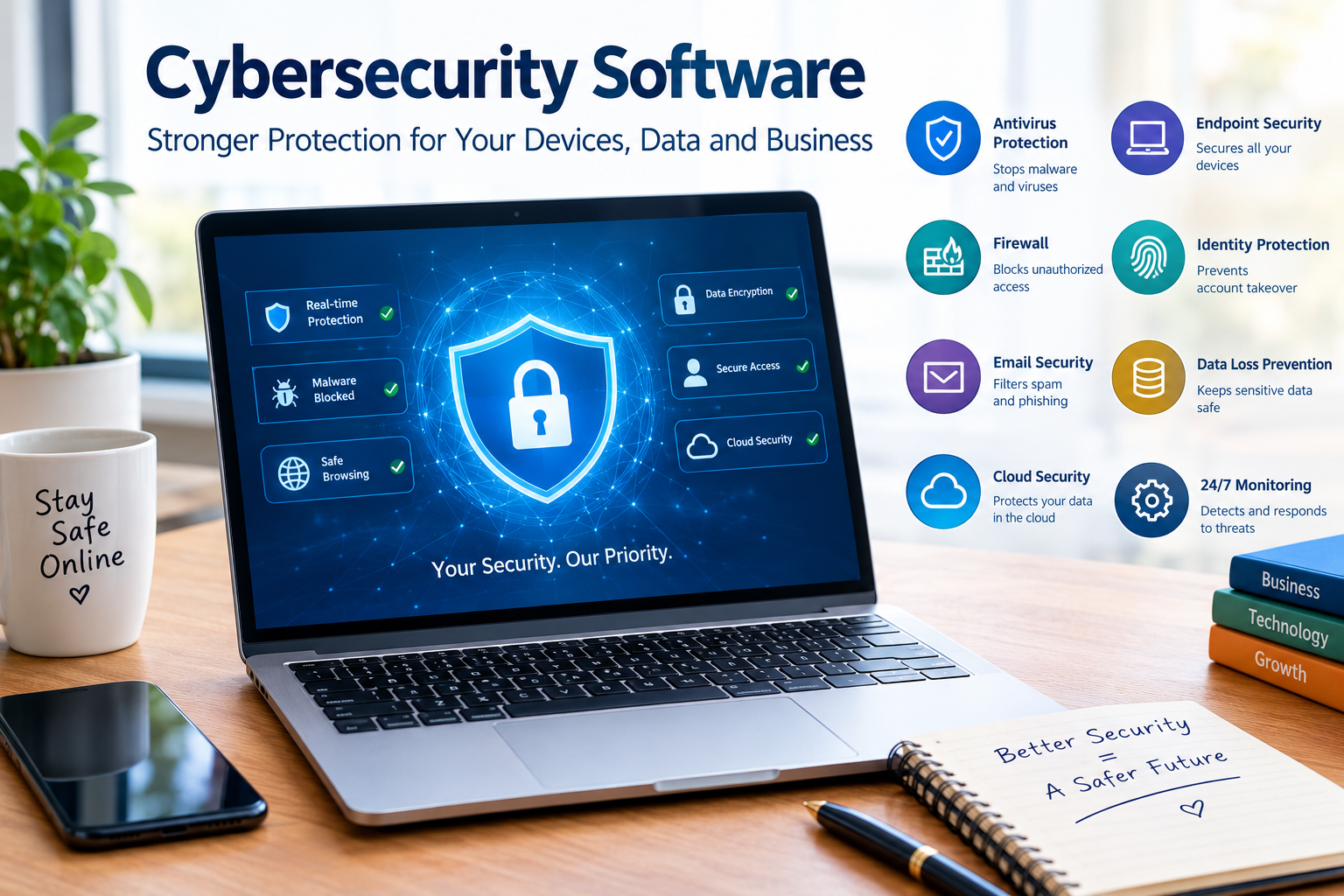
For example, antivirus software can detect and remove malware from a computer. A firewall can monitor network traffic and block unwanted connections. Endpoint security software can protect laptops, desktop computers, and mobile devices used by employees.
Businesses may also use email security, identity protection, data encryption, and threat detection tools.
These solutions work together to create layers of protection. If one security measure misses a threat, another may detect it before serious damage occurs.
Cybersecurity software does not make a system completely safe. Users still need strong passwords, regular updates, secure backups, and good online habits. The goal is to reduce risk and help people respond quickly when something goes wrong.
Why Is Cybersecurity Software Important?
People and businesses depend on digital systems for communication, banking, shopping, education, and daily work. This growing dependence creates more opportunities for cybercriminals to target valuable information.
Cybersecurity software helps protect that information and keeps important systems available.
Protects Sensitive Information
Personal information can include names, addresses, financial details, passwords, and private messages. Businesses may also store customer records, employee information, contracts, and payment data.
If attackers gain access to these records, they may use them for fraud, identity theft, or further attacks.
Security software can help protect sensitive data through access controls, threat detection, encryption, and monitoring. The exact protection depends on the tools used and how they are configured.
Reduces the Risk of Malware Attacks
Malware is harmful software designed to damage systems, steal information, or gain unauthorized access. It includes viruses, spyware, trojans, and ransomware.
A user might download an infected attachment without realizing it contains harmful code. Security software can scan files, detect suspicious behavior, and block many known threats.
Modern endpoint protection tools may also identify unusual activity that suggests a new or previously unknown attack.
Helps Prevent Financial Losses
A cyberattack can cost a business money through stolen funds, interrupted operations, recovery work, and lost customers.
For example, imagine an online store whose administrator account is compromised. An attacker might change account settings, access customer information, or disrupt the website.
Strong account security, endpoint protection, and monitoring can reduce the chances of such an incident and help the business respond faster.
Supports Customer Trust
Customers expect businesses to handle their information carefully. A company that suffers a data breach may lose customers and damage its reputation.
Cybersecurity software can support a wider security program by helping detect threats, protect data, and control access.
However, buying software alone does not guarantee compliance with privacy laws or industry standards. Businesses must also follow appropriate policies, train employees, and manage information responsibly.
How Does Cybersecurity Software Work?
Cybersecurity software uses several methods to identify and manage threats. The exact process depends on the product and the type of attack it is designed to prevent.
Threat Detection
Security tools examine files, applications, network traffic, and system behavior for signs of harmful activity.
Traditional antivirus tools often compare files against known malware signatures. When a file matches a known threat, the software can block, quarantine, or remove it.
More advanced tools may use behavior analysis to identify suspicious actions. For example, a program that suddenly attempts to change many files or access protected system areas may trigger an alert.
This approach can help detect threats that do not match known signatures.
Threat Prevention
Prevention features aim to stop attacks before they cause damage.
A firewall can block unauthorized network connections. Web protection may warn users about dangerous websites. Email security tools can filter suspicious attachments and phishing messages.
Endpoint security software may prevent harmful applications from running.
These controls are most effective when they are regularly updated and correctly configured.
Monitoring and Alerts
Some cybersecurity solutions monitor devices and networks continuously. They can alert users or security teams when they detect suspicious activity.
For example, repeated failed login attempts may indicate someone is trying to access an account without permission.
A security team can investigate the alert, confirm whether the activity is harmful, and take action to limit the risk.
Larger organizations may use security information and event management systems, known as SIEM tools, to collect and analyze security logs from many sources.
Incident Response
Detection is only one part of cybersecurity. Organizations also need ways to contain and recover from attacks.
Some security platforms can isolate an infected device from the network. Others help security teams investigate suspicious activity or identify affected systems.
A good response plan should also cover backups, communication, recovery, and reporting requirements.
Types of Cybersecurity Software
Different security tools solve different problems. Understanding their purpose can help you build a suitable security setup.
Antivirus Software
Antivirus software scans files and programs for malicious code. It can detect many common threats and remove or quarantine infected files.
Home users often rely on antivirus protection as part of their basic device security. Businesses may use antivirus features within broader endpoint protection platforms.
Modern operating systems include built-in security tools, so users should check their existing protection before purchasing another product.
Endpoint Detection and Response Software
Endpoint detection and response software, often called EDR, monitors computers and other endpoints for suspicious behavior.
Unlike basic antivirus tools, EDR solutions can provide detailed information about an incident and help security teams investigate what happened.
For example, if an employee opens a harmful file, an EDR system may record the file’s activity, identify related processes, and help isolate the affected device.
EDR is particularly useful for organizations that need deeper visibility into security events.
Firewall Software
A firewall controls network traffic based on defined security rules. It can block unwanted connections while allowing approved communication.
Personal firewalls help protect individual devices. Network firewalls protect connections between internal systems and external networks.
Businesses may use additional firewalls to separate departments, protect servers, or control traffic between cloud environments.
A firewall is important, but it cannot stop every threat. An attacker may still exploit a compromised account or trick an employee into sharing sensitive information.
Email Security Software
Email remains a common way for attackers to reach users. Phishing messages may pretend to come from banks, delivery companies, colleagues, or trusted service providers.
Email security software can filter spam, scan attachments, detect suspicious links, and identify some impersonation attempts.
For example, an employee might receive a message claiming that a manager needs an urgent payment. Email protection may flag the message, while staff training helps the employee recognize the warning signs.
Using both technical controls and awareness training provides stronger protection than relying on either one alone.
Password and Identity Security Tools
Weak or reused passwords can make accounts easier to compromise.
Password managers help users create and store strong, unique passwords. Multifactor authentication adds another verification step when someone signs in.
Identity and access management software helps organizations decide who can access particular systems and what actions they are allowed to perform.
These tools can reduce unauthorized access, especially when combined with account monitoring and careful permission management.
Cloud Security Software
Businesses increasingly store files, run applications, and manage services in cloud environments.
Cloud security tools can help identify unsafe configurations, monitor access, protect cloud workloads, and detect suspicious activity.
For example, a company might accidentally make a storage location accessible to the public. A cloud security tool may identify the risky setting and alert the administrator.
Cloud security responsibilities are shared between the service provider and the customer. Businesses must understand which protections the provider manages and which settings remain their responsibility.
Data Loss Prevention Software
Data loss prevention software, or DLP, helps organizations control how sensitive information is stored, shared, and transferred.
It may detect credit card numbers, confidential documents, or other protected information in emails and file transfers.
A company could use DLP policies to prevent employees from sending certain customer records to unauthorized recipients.
These tools require careful planning because overly strict rules can interrupt normal work, while weak rules may fail to protect important information.
Key Features to Look for in Cybersecurity Software
Choosing security software involves more than comparing prices. You should understand which features match your risks and technical needs.
Real-Time Protection
Real-time protection monitors activity as files are opened, downloaded, or executed. It can help block threats before they spread.
For personal devices, this feature is especially useful when browsing websites, opening attachments, or installing applications.
Businesses should also consider whether the software can monitor activity across all supported devices.
Automatic Updates
Cyber threats change frequently. Security software needs updated threat information and improvements to remain effective.
Automatic updates reduce the chance that users will forget to install important security changes.
Operating systems, applications, browsers, and network devices also need regular updates. Security software cannot compensate for every vulnerability in outdated systems.
Ransomware Protection
Ransomware can encrypt files or systems and demand payment for their recovery.
Some security products offer ransomware detection, suspicious file activity monitoring, or protection for selected folders.
These features can reduce risk, but they are not a substitute for reliable backups. Important files should be backed up regularly, and organizations should test whether they can restore those files successfully.
Easy Management
A security product should be practical to use.
Home users may prefer a simple dashboard that explains alerts clearly. Businesses may need centralized management that allows administrators to monitor many devices from one location.
The right interface can help users respond to warnings and keep protection settings up to date.
Reporting and Alerts
Clear alerts help users understand what happened and what action is needed.
Business security tools may also provide reports on detected threats, vulnerable devices, and unresolved risks.
Before choosing a product, check whether its reporting features support your team’s size and security requirements.
Compatibility and Performance
Security software must work with your operating system, devices, and existing applications.
Some tools may require more memory or processing power than others. This matters for older computers and systems that run specialized business software.
Check the vendor’s system requirements and test the software before deploying it across a large organization.
Best Cybersecurity Software for Different Needs
There is no single product that works best for every user. The right choice depends on your budget, technical skills, device types, and security risks.
Cybersecurity Software for Home Users
Home users should begin with reliable built-in security features, automatic operating system updates, strong passwords, and multifactor authentication.
For Windows users, Microsoft Defender Antivirus provides built-in protection. Users should review its settings and confirm that protection is enabled.
People who need additional features, such as broader parental controls or identity monitoring, may consider a paid security suite. They should compare the exact features offered rather than assuming every product includes the same protections.
Cybersecurity Software for Small Businesses
Small businesses need protection that fits their size and resources.
A practical setup may include endpoint protection, email filtering, multifactor authentication, secure backups, and a business firewall.
For example, a small digital marketing agency may have employees working from home and accessing shared client files. Endpoint security can protect work devices, while identity controls help restrict access to client information.
Business owners should also decide who will review alerts and manage security updates. Buying a product without assigning responsibility can leave important warnings unnoticed.
Cybersecurity Software for Large Enterprises
Large organizations often manage thousands of devices, multiple networks, cloud services, and complex access requirements.
They may need endpoint detection and response, extended detection and response, identity security, SIEM, and security orchestration tools.
These platforms can help security teams connect information from different systems and investigate incidents more efficiently.
However, larger platforms require skilled staff, careful configuration, and ongoing monitoring. Organizations should evaluate the full cost of deployment and management, not just the license price.
Cybersecurity Software for Remote Workers
Remote workers may connect to company resources from home networks, public Wi-Fi, and personal devices.
Organizations can reduce risk by requiring multifactor authentication, keeping devices updated, and limiting access to approved applications.
A virtual private network may help protect certain network connections, but it does not automatically prevent malware, phishing, or account theft.
Remote work security should combine secure devices, identity controls, clear policies, and employee training.
How to Choose the Right Cybersecurity Software
Start by identifying what you need to protect. A home user may mainly want to secure personal devices, while a business may need to protect customer data, email accounts, servers, and cloud applications.
Next, review your existing security features. You may already have antivirus protection and a firewall, so paying for another product with the same basic features may not provide much additional value.
Compare products based on threat detection, update frequency, compatibility, ease of use, support, and reporting. Businesses should also review access controls, integration options, and the vendor’s incident response capabilities.
Cost is another important factor. Free tools can provide useful basic protection, but paid products may offer additional management or monitoring features. Compare the actual features included in each plan.
To improve digital security and reduce online risks, businesses and individuals can follow these cybersecurity best practices recommended by the Cybersecurity and Infrastructure Security Agency (CISA).
Before purchasing a business solution, consider testing it with a small group of users. This can reveal compatibility problems and help you understand how alerts and management tools work.
Finally, check the vendor’s reputation, privacy policy, support options, and product documentation. A security product should not create unnecessary risks through unclear data practices or poor maintenance.
Cybersecurity Software Trends in 2026
Cybersecurity tools continue to evolve as organizations adopt cloud services, artificial intelligence, and remote work.
Artificial Intelligence in Threat Detection
Some security platforms use machine learning and other AI techniques to analyze large amounts of activity and identify suspicious patterns.
These methods can help security teams investigate threats more quickly. However, AI-based detection can produce false alarms and may miss certain attacks. Human review remains important.
Extended Detection and Response
Extended detection and response, known as XDR, connects security information from multiple areas, such as endpoints, email, networks, and cloud services.
This broader view can help teams identify related events that might otherwise appear unrelated.
For example, a suspicious email, an unusual login, and unexpected activity on a laptop may form part of the same attack. Connecting these events can make investigation easier.
Zero Trust Security
Zero trust is a security approach based on verifying access rather than automatically trusting users or devices because they are inside a network.
Organizations may check identity, device health, permissions, and other risk signals before granting access.
This approach can help limit the damage caused by stolen credentials or compromised devices.
Cloud-Native Security
As businesses move more applications and data into the cloud, security tools increasingly focus on cloud configurations, identities, workloads, and data access.
Organizations need to monitor cloud resources continuously and correct unsafe settings before attackers exploit them.
These trends show why cybersecurity is an ongoing process rather than a one-time software purchase.
Common Cybersecurity Mistakes to Avoid
One common mistake is assuming that installing security software solves every problem. Even a well-protected device can be affected by a stolen password, a vulnerable application, or a user who approves a fraudulent request.
Another mistake is ignoring software updates. Updates often fix known security weaknesses, so delaying them can leave devices exposed.
Businesses sometimes give employees more access than they need. If an account is compromised, excessive permissions can allow an attacker to reach additional systems. Giving users only the access required for their roles can reduce this risk.
Poor backup practices can also make recovery difficult. Important data should have protected backups, and restoration should be tested regularly.
Finally, organizations should not ignore security alerts. Alerts need a clear owner, a review process, and a plan for responding to serious incidents.
Frequently Asked Questions About Cybersecurity Software
What Is the Best Cybersecurity Software?
The best cybersecurity software depends on your needs. Home users may find built-in antivirus and firewall tools sufficient for basic protection, while businesses may require endpoint security, email protection, identity controls, and centralized monitoring.
Is Free Cybersecurity Software Good Enough?
Free cybersecurity software can provide useful protection against common threats. However, some free products lack advanced management, specialized monitoring, or business support. Your choice should depend on your risk level and required features.
What Is the Difference Between Antivirus and Cybersecurity Software?
Antivirus software mainly focuses on detecting and blocking malware. Cybersecurity software is a broader category that includes antivirus, firewalls, endpoint protection, identity security, email security, and other tools designed to protect digital systems.
Can Cybersecurity Software Prevent All Cyberattacks?
No. Security software can detect and block many threats, but no product can guarantee complete protection. Strong passwords, multifactor authentication, updates, secure backups, and user awareness are also important.
Do Small Businesses Need Cybersecurity Software?
Yes. Small businesses often store customer information, financial records, and business files that attackers may target. Appropriate security software can help protect these assets and reduce the risk of disruption.
How Much Does Cybersecurity Software Cost?
The cost varies by product, features, number of devices, and subscription plan. Some basic tools are free, while advanced business platforms may require significant spending on licenses, setup, and ongoing management. Check current vendor pricing before making a decision.
What Is Endpoint Security Software?
Endpoint security software protects devices such as laptops, desktops, and servers from digital threats. Depending on the product, it may include malware protection, threat detection, device controls, and incident response features.
Is Windows Defender Enough for Everyday Use?
Microsoft Defender Antivirus provides built-in protection for supported Windows systems. For many users, it can form a useful part of a basic security setup when kept updated and configured correctly. Additional tools may be appropriate for users with specific security needs.
How Can I Improve Cybersecurity Without Buying More Software?
Keep your devices updated, use unique passwords, enable multifactor authentication, back up important files, and learn how to recognize phishing attempts. Review existing security settings and remove applications you no longer need.
Why Is Cybersecurity Software Important in 2026?
Cybersecurity software helps individuals and organizations manage risks involving malware, account theft, phishing, and unauthorized access. As digital services become more important to everyday work, effective security tools remain a key part of protecting data and maintaining reliable operations.
Conclusion
Cybersecurity software plays an important role in protecting personal information, business data, devices, and networks. From antivirus programs and firewalls to endpoint detection and cloud security tools, each solution addresses different risks.
The best choice depends on what you need to protect, how you use technology, and how much support you require. Before purchasing a product, review its features, compatibility, cost, and reputation. Make sure it fits into a wider security plan that includes regular updates, strong passwords, multifactor authentication, employee training, and reliable backups.
Remember that cybersecurity is not a one-time task. Threats change, systems evolve, and security needs grow as technology becomes part of more activities.
Take the first step today: review the security features on your devices, identify any gaps, and choose cybersecurity software that matches your needs. A thoughtful approach can help you reduce risks, protect valuable information, and use technology with greater confidence.
