
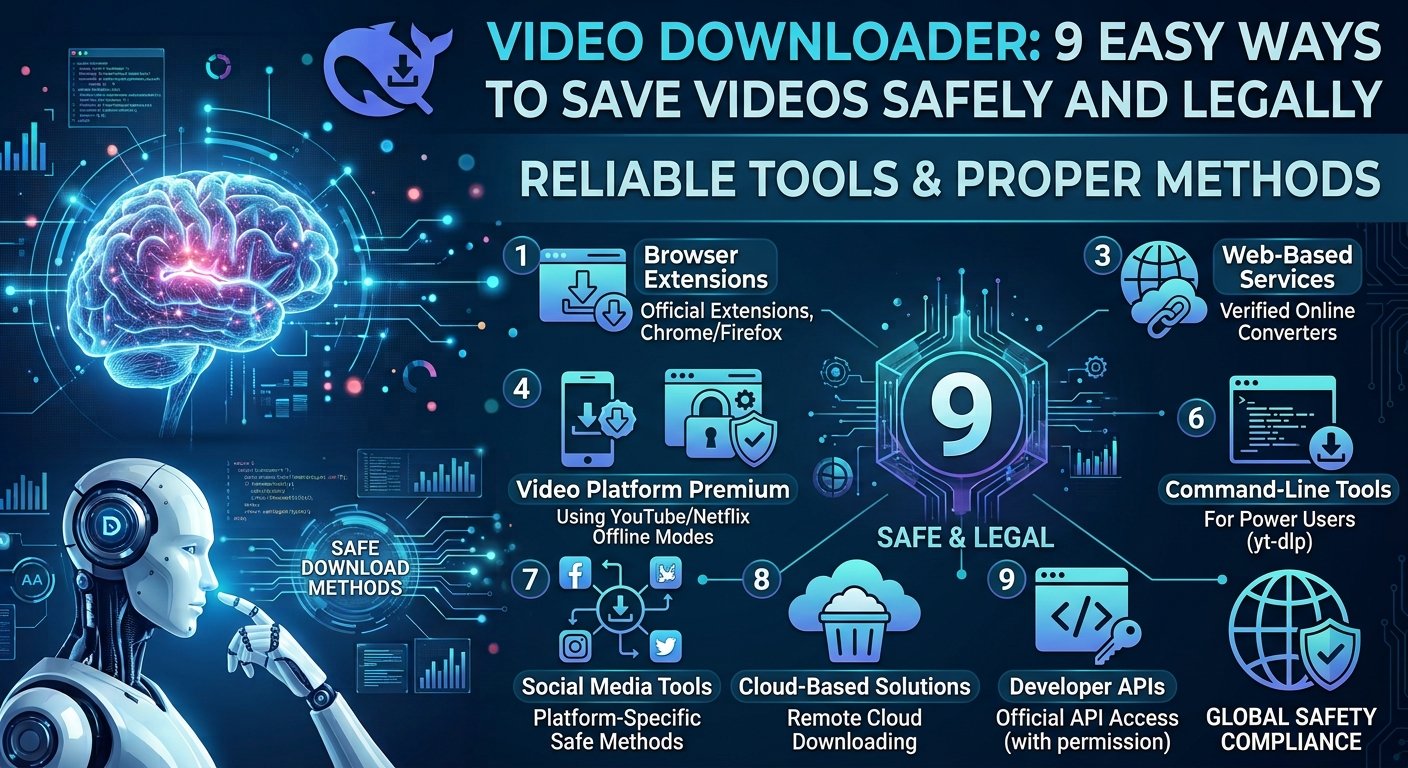
Learn how video downloaders work, where they are useful, what formats to choose, and how to download videos safely while respecting copyright.
Videos are now part of almost every part of the internet. People watch tutorials, online courses, product reviews, interviews, news clips, entertainment, and educational videos every day. Sometimes, however, an internet connection is not reliable enough for smooth playback. In other cases, users may need an offline copy of a video they are allowed to save.
This is where a video downloader can be useful.
A video downloader is a tool or feature that allows users to save video content for offline viewing when the platform and content owner permit downloading. Some services provide a built-in download button, while other tools can save videos from websites that offer downloadable content.
But downloading a video is not simply about clicking a button. The file format, video quality, storage space, security, copyright rules, and website policies can all matter.
This guide explains how video downloaders work, what to look for in a reliable tool, which formats and resolutions are useful, and how to download videos responsibly.
What Is a Video Downloader?
A video downloader is software, a website feature, or an application designed to save video content to a device for later viewing.
The downloaded file may be stored on a computer, smartphone, tablet, or another supported device. Depending on the service, users may be able to choose video quality and file format before saving the content.
For example, an educational website may offer a download option for a course lesson. A stock-video website may let customers download purchased footage. A cloud storage service may allow users to download a video they own.
The key point is permission. A video downloader should be used for content that you own, have permission to download, or that the platform clearly makes available for offline saving.
How Does a Video Downloader Work?
The basic process is simple.
When a website provides an authorized download option, the service prepares the video file for saving. The user selects the download option, chooses available settings if offered, and saves the file to the device.
Some websites provide temporary offline viewing instead of a normal video file. In this case, the content may remain inside the official app rather than appearing as a standard MP4 file in the device’s storage.
This difference is important because not every offline feature creates a transferable video file.
A downloader may also deal with differentvideo downloader, resolutions, and audio tracks. Modern websites often deliver video in smaller pieces instead of sending one large file at once. The platform can then combine or manage those streams during playback or authorized downloading.
Why Do People Use Video Downloaders?
The most common reason is offline viewing.
Imagine a student who has an online lesson but will travel somewhere with poor internet access. If the course platform provides an official download option, saving the lesson before the trip can make studying easier.
The same applies to someone traveling by plane, working in an area with weak internet, or preparing educational material for a location where connectivity is limited.
Another reason is convenience. A person may own a video and want to keep a local backup. A business may need to download its own promotional video for editing or archiving.
video downloader can therefore be useful when it supports a legitimate purpose.
9 Important Features to Look for in a Video Downloader
1. Support for Authorized Downloads
The most important feature is support for legitimate downloading.
A trustworthy service should make it clear what content can be saved and under what conditions. If a platform does not permit downloading, users should not try to bypass its restrictions.
Always check the website’s terms and the content owner’s rights before saving a video.
2. Multiple Video Qualities
Some download systems offer different quality options.
A lower-resolution video can use less storage and may be suitable for a small phone screen. Higher-resolution video can look better on larger displays but requires more storage and bandwidth.
For casual mobile viewing, a moderate resolution may be enough. For professional editing or large screens, higher-quality files may be more useful when officially available.
3. Common File Formats
MP4 is one of the most widely supported video formats.
It works across many phones, computers, tablets, media players, and editing applications. This makes it a convenient choice when an authorized download is available in MP4.
Other formats may offer different advantages, but compatibility should always be considered before choosing a file type.
4. Audio and Video Quality
A video is more than its resolution.
A file can have a high resolution but still have poor audio or heavy compression. For lectures, interviews, podcasts with video, and tutorials, clear audio can be more important than extremely high video resolution.
When choosing between available video downloader, consider both picture and sound quality.
5. Simple Interface
A good downloader should not make basic tasks confusing.
The process should be clear, and the user should know what will happen before starting a download. Excessive pop-ups, misleading buttons, and unexpected redirects are warning signs.
A clean interface can make the process safer and easier.
6. Device Compatibility
Before using a downloader, check whether it works with your device.
Some services are designed for desktop computers, while others are built for Android, iPhone, or web browsers. Official platform apps often provide the safest mobile offline experience.
Using the correct version can reduce compatibility problems.
7. Download Management
For users who save several videos, download management can be helpful.
Features such as pause, resume, file organization, and download status can make larger tasks easier to handle.
However, users should avoid downloading more content than they need because video files can consume significant storage space.
8. Security
Security should be a major concern.
Unknown downloader websites can sometimes use misleading advertisements, aggressive pop-ups, or suspicious downloads. Users should never install software simply because a website says it is required.
Keep your operating system, browser, and security software updated. Download applications only from trusted sources.
9. Clear Usage Policies
A reliable service should provide clear information about its features and restrictions.
Users should be able to understand what they are allowed to download and how the service handles data.
This is especially important for businesses and anyone working with copyrighted or private content.
Choosing the Right Video Quality
Video quality affects both the viewing experience and file size.
Standard-definition video generally requires less storage. HD video provides a sharper image and is often a good balance for everyday viewing. Full HD can provide more detail on larger screens, while higher resolutions can create much larger files.
For example, a short tutorial may not need an extremely large file. A detailed product demonstration, however, may benefit from better resolution because small text and interface elements need to remain readable.
The best choice is not always the highest available resolution. It is the quality that matches the screen, purpose, and available storage.
Video Downloader vs Offline Viewing
These terms are sometimes used as if they mean the same thing, but there can be an important difference.
A video downloader may create a video file that can be accessed through normal file storage, depending on the platform.
An offline viewing feature may keep a protected copy inside an official application. The user can watch it without an internet connection, but the file may not be available as a normal video file.
Streaming services often use this type of controlled offline access.
This system helps platforms protect licensed content while still giving users the convenience of offline viewing.
Is Using a Video Downloader Legal?
The answer depends on the content, platform, and purpose.
Downloading a video that you created yourself is generally different from downloading someone else’s copyrighted video without permission.
A website may also have specific terms that control whether users can save its content. Some platforms allow video downloaders through official buttons, while others restrict downloading.
Copyright law also differs between countries.
The safest approach is to download videos that you own, have permission to use, or that are clearly offered for download by the platform or creator.
If you plan to reuse a downloaded video commercially, check the license carefully. A video being publicly available online does not automatically mean that anyone can copy, edit, or republish it.
Safe Ways to Download Videos
The safest method is to use the website’s official download feature.
If a creator provides a download button, follow the instructions provided by the creator or platform.
For content you own, keep original files in a secure location and maintain backups. Cloud storage and external drives can both help protect important video files.
For licensed stock footage, use the download option provided after purchasing or obtaining the appropriate license.
Avoid websites that ask you to install unknown browser extensions or executable files just to download a normal video downloader.
How to Avoid Unsafe Video Downloader Websites
Not every website that promises free video downloads is trustworthy.
Some pages use deceptive download buttons that look like legitimate controls. Others may redirect users to unrelated pages.
A useful safety habit is to examine the page before clicking.
If a website suddenly asks you to install an unknown application, disable browser security features, or provide sensitive information, stop and reconsider.
You should also avoid entering passwords, credit card information, or personal details into an unfamiliar downloader website.
A good rule is simple: if a download process feels unusually aggressive or confusing, do not continue.
Video Downloader for Students
Students can benefit from offline video access when it is supported by their learning platform.
Suppose a student has five recorded lessons and expects to study during a long journey. If the course provider allows offline access, downloading those lessons can prevent interruptions caused by weak internet.
Students can also save their own recorded presentations and project videos for backup.
However, educational content may still be protected by copyright. Students should follow the rules of their school, university, course provider, and content owner.
Video Downloader for Content Creators
Content creators often need local video files for editing, archiving, and backup.
Creators should keep the original recordings whenever possible. Downloading a video from their own published channel may not provide the same quality as the original source file.
A better workflow is to store original footage and project files separately.
For example, a creator might keep raw camera footage on an external drive and maintain another backup in cloud storage. Published versions can then be treated as additional copies rather than the primary archive.
Video Downloader for Businesses
Businesses may use video downloads for legitimate operational reasons.
A company might need to save its own product video, training recording, webinar, or promotional material for internal use.
Marketing teams may also need licensed video assets for campaigns.
Businesses should pay close attention to licensing. A video purchased for personal use may not automatically include commercial rights.
Before publishing downloaded footage in an advertisement, website, social media campaign, or presentation, check the license terms.
How Much Storage Does Video Use?
Video files can become large very quickly.
The exact size depends on duration, resolution, bitrate, codec, frame rate, and compression.
A short compressed video may take relatively little space, while a long high-resolution recording can consume several gigabytes.
This is why users should check available storage before downloading large files.
If your phone is nearly full, downloading several high-resolution videos may slow the device or prevent other applications from working properly.
Common Problems With Video Downloads
One common problem is an incomplete download.
This can happen when the internet connection drops or the source becomes unavailable. If the official platform supports resume functionality, users may be able to continue the download rather than starting again.
For more information about downloading, copying, and using video content, read the official YouTube Terms of Service and make sure your use complies with the platform’s rules and applicable copyright laws.
Another issue is poor video quality.
A low-quality source cannot always be turned into a high-quality video simply by selecting a larger resolution. Upscaling may increase the file dimensions without restoring missing detail.
Playback compatibility can also cause problems. If a device cannot open a particular format or codec, the user may need a compatible media player or an authorized alternative format.
Should You Choose an Online or Desktop Video Downloader?
An online downloader can be convenient because it does not always require software installation.
A desktop application may provide more control over file management, downloads, and supported formats.
The right option depends on the task.
For occasional downloads of content that the platform explicitly permits, an official browser or app feature is usually the simplest choice.
For creators and businesses managing their own video libraries, dedicated software can offer more useful organization and workflow features.
Video Downloading and Copyright
Copyright deserves special attention because video content is often protected by intellectual property law.
A creator may own the copyright to a video even if it is publicly visible.
Downloading, modifying, re-uploading, selling, or using that content commercially may require permission.
For example, downloading a public video for private viewing is not the same as downloading it, removing its branding, and uploading it to your own commercial website.
If you want to reuse a video, look for an explicit license or contact the copyright owner.
The Future of Video Downloading
Video consumption continues to change as internet speeds, mobile devices, cloud services, and streaming platforms develop.
Offline viewing is likely to remain useful because people do not always have reliable internet access.
At the same time, platforms are becoming more focused on licensing, privacy, security, and content protection.
This means future video services may provide better offline features while still controlling how downloaded content can be used.
For consumers, this can mean easier access to legitimate offline viewing without requiring questionable third-party tools.
Frequently Asked Questions About Video Downloaders
What is a video downloader?
A video downloader is a tool or platform feature that allows users to save video content for offline viewing when downloading is permitted.
Is it legal to download online videos?
It depends on the video, platform rules, copyright status, license, and intended use. Downloading your own content or content explicitly offered for download is generally the safest approach.
What is the best video format?
MP4 is a popular choice because it is compatible with many devices and media players. The best format depends on the platform and intended use.
Is MP4 better than other video formats?
MP4 is not automatically better in every situation, but it offers broad compatibility and is commonly used for online and offline video.
Can I download videos to my phone?
Yes, when the platform provides an authorized download option. Some services offer offline viewing through their official mobile applications.
Why is my downloaded video low quality?
The source may have been low quality, or the selected download may use heavy compression. Increasing the resolution does not always restore detail that was not present in the original video.
Are free video downloader websites safe?
Not all of them are safe. Some may contain aggressive advertising, deceptive buttons, redirects, or unwanted software. Official download features and trusted services are safer choices.
Can I use downloaded videos commercially?
Only when you have the required rights or license. Public availability does not automatically grant commercial usage rights.
Does downloading a video use storage?
Yes. Video files can take significant storage, especially when they are long or recorded at high resolution.
Can I download copyrighted videos?
Copyrighted videos should only be downloaded when the platform or copyright owner permits it, or when you have the necessary rights. Always check the applicable rules before saving or reusing copyrighted content.
Conclusion
A video downloader can be useful when you need legitimate offline access to video content. Students can use authorized downloads for study, creators can save their own work, and businesses can manage licensed video assets more easily.
The most important factor is not simply download speed or video quality. Safety, copyright, privacy, compatibility, and permission matter just as much.
Before downloading any video, check whether the platform allows it and whether you have the right to save or reuse the content. When possible, use official download and offline-viewing features rather than unknown third-party websites.
Choose a suitable video quality, keep important files backed up, and avoid suspicious software or websites. With these simple habits, you can enjoy the convenience of offline video access while protecting your device and respecting content creators.

1 Comment
Pingback: 7 Powerful Things to Know About How Much is Canva Pro Costs in 2026