
Discover 15 powerful remote team communication tools in 2026 to improve collaboration, streamline communication, manage projects, and boost team productivity.
Introduction
Remote teams need reliable communication tools to stay connected, share information, manage projects, and work toward common goals. Without the right tools, remote collaboration can become difficult because team members may work in different locations and time zones. In 2026, remote team communication tools offer features such as instant messaging, video meetings, file sharing, project management, and AI-powered collaboration. Choosing the right tools can help teams communicate more clearly, reduce delays, and create a smoother remote working experience.
Remote work has changed how businesses operate. Teams are no longer sitting in the same office, yet they are expected to perform faster, smarter, and more efficiently than ever. This shift has made one thing very clear: communication is everything.
In 2026, remote work has become the norm, making effective team communication more important than ever. The right communication tools help teams stay connected, collaborate seamlessly, and maintain productivity regardless of location. From instant messaging and video conferencing to all-in-one collaboration platforms, modern tools are designed to simplify workflows and improve teamwork. In this guide, we’ll explore the best remote team communication tools to help you boost productivity and streamline collaboration.
When communication breaks down, projects slow down. Deadlines are missed. Team morale drops. But when communication flows smoothly, remote teams can outperform traditional office teams.
This is where remote team communication tools come in. These tools are not just helpful. They are essential for success in today’s digital workplace.
Understanding Remote Team Communication Tools
Remote team communication tools are platforms that help teams connect, share ideas, manage tasks, and collaborate from anywhere in the world. They replace physical conversations with digital interactions that are fast, organized, and trackable.
These tools bring structure to communication. They ensure that everyone knows what is happening, what needs to be done, and who is responsible.
In simple terms, they act as the backbone of remote work.
Why Remote Team Communication Tools Are Critical in 2026
The global workforce is becoming more distributed every year. Companies are hiring talent from different countries to stay competitive. While this opens new opportunities, it also introduces communication challenges.
Time zone differences, lack of face-to-face interaction, and unclear messaging can create confusion. Without the right tools, teams struggle to stay aligned.
Research shows that teams with strong communication systems are significantly more productive and engaged. Clear communication reduces errors, speeds up decision-making, and improves overall performance.
Types of Remote Team Communication Tools
Real-Time Messaging Platforms
Real-time messaging tools allow instant communication between team members. These platforms replace long email threads with quick conversations.
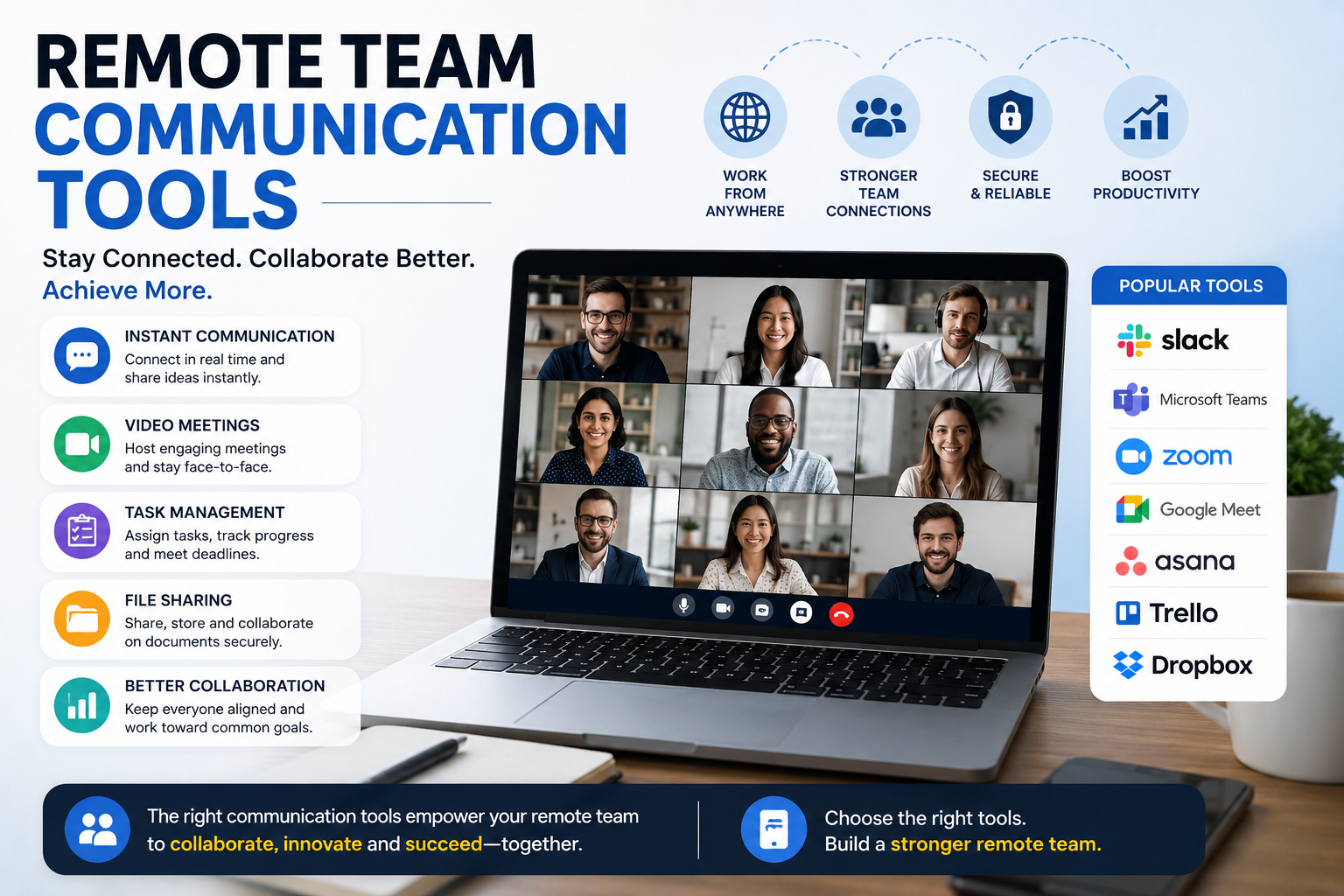
You can improve real-time communication using Slack communication platform, which helps remote team communication tools stay connected through organized channels and instant messaging. For virtual meetings and team discussions, Zoom video conferencing tool is widely used for its reliability and ease of use.
They are ideal for daily updates, quick questions, and team discussions. Messages are organized into channels or groups, making it easy to keep conversations focused.
Video Communication Platforms
Video tools bring human interaction back into remote work. Seeing faces and hearing voices helps build trust and reduces misunderstandings.
Meetings, brainstorming sessions, and presentations become more effective when teams can interact visually. This improves engagement and clarity.
Project Collaboration Platforms
Project management tools help teams organize tasks and track progress. They provide a clear view of who is doing what and when it needs to be completed.
These tools are especially important for complex workflows where multiple people are involved.
Many businesses also rely on Microsoft Teams collaboration software to manage communication, meetings, and file sharing in one place. Similarly, Google Meet for remote meetings provides a simple and secure way to connect teams globally.
For example, the best account based marketing marketing agency relies on structured communication and project tracking to manage high-value clients. Each campaign involves multiple touchpoints, and clear coordination is essential for success.
File Sharing and Documentation Systems
Remote teams need easy access to documents and files. File-sharing tools ensure that everyone is working on the latest version of a document.
They also make collaboration easier by allowing multiple people to edit and comment in real time.
Key Features That Make a Tool Effective
An effective communication tool should be simple to use. Complicated systems slow teams down instead of helping them.
Integration is another important factor. Tools should connect with other software such as calendars, email platforms, and productivity apps.
Security is also critical, especially for businesses handling sensitive data. Reliable tools offer strong data protection and privacy features.
Scalability matters as well. A tool should support your team as it grows.
Real-Life Example of Remote Communication Success
Consider a digital agency working with international clients. The team includes designers, writers, and strategists located in different regions.
Before using structured communication tools, the team struggled with missed deadlines and unclear instructions. Emails were lost, updates were delayed, and projects became stressful.
After adopting communication platforms, everything changed. The agency created dedicated channels for each client. Tasks were assigned clearly. Progress was tracked visually.
The result was faster delivery, better teamwork, and higher client satisfaction.
How Communication Tools Improve Productivity
Productivity improves when teams spend less time searching for information and more time doing meaningful work.
Communication tools centralize conversations and data. This reduces confusion and keeps everyone aligned.
Automation features further boost efficiency. Notifications, reminders, and workflow triggers reduce manual effort and keep projects moving forward.
When communication is clear, decisions are made faster. This leads to better outcomes.
Remote Communication in Marketing and Agencies
Marketing teams depend heavily on communication. Campaigns involve multiple stages, from planning to execution.
For agencies focusing on account-based marketing, communication becomes even more important. Each campaign is tailored to specific clients, requiring precise coordination.
The best account based marketing marketing agency uses remote team communication tools to manage campaigns, track performance, and ensure every team member is aligned with the strategy.
This level of organization helps agencies deliver consistent and high-quality results.
Common Challenges in Remote Communication
Despite having tools, remote teams still face challenges.
One major issue is overcommunication. Too many messages can overwhelm team members and reduce focus.
Another challenge is miscommunication. Without tone and body language, messages can be misunderstood.
Time zone differences can also delay responses and slow down workflows.
To overcome these challenges, teams need clear communication rules and structured processes.
Best Practices for Effective Remote Communication
Successful remote teams follow clear communication strategies.
They define which tools to use for different types of communication. For example, quick updates may go through chat, while detailed discussions happen in meetings.
They keep messages simple and direct. Clarity reduces misunderstandings.
They also respect time zones and avoid unnecessary interruptions. This helps maintain a healthy work-life balance.
To manage tasks and workflows, tools like Asana project management tool and Trello task management boards help teams stay organized and track progress efficiently.
For secure file storage and sharing, Dropbox file sharing system ensures that team members can access documents anytime, anywhere.
Regular check-ins and meetings keep everyone aligned and engaged.
Choosing the Right Communication Tools
Every team has different needs. A small startup may require simple tools, while a large organization may need advanced platforms.
The key is to choose tools that match your workflow. Test different options and gather feedback from your team.
The right tool should make work easier, not more complicated.
The Role of Automation in Communication Tools
Automation is changing how teams communicate.
Modern tools can automate repetitive tasks such as sending reminders, updating statuses, and notifying team members.
This reduces manual work and allows teams to focus on important tasks.
Automation also improves consistency. Processes become more reliable and less dependent on human input.
Future Trends in Remote Communication
The future of remote team communication tools is exciting.
Artificial intelligence is being integrated into communication tools to provide smart suggestions and insights.
Virtual reality may soon allow teams to meet in digital environments that feel like real offices.
As technology evolves, communication tools will become more intuitive and powerful.
Businesses that adapt early will have a strong advantage.
Building a Strong Remote Work Culture
Communication tools are important, but culture matters just as much.
A strong remote team communication tools culture encourages open communication, trust, and collaboration.
Leaders should promote transparency and make sure every team member feels heard.
Recognition and feedback also play a key role in keeping teams motivated.
When culture and communication work together, teams perform at their best.
Measuring the Effectiveness of Communication Tools
It is important to evaluate how well your communication tools are working.
Look at productivity levels, project completion rates, and team satisfaction.
If communication issues persist, it may be time to adjust your tools or processes.
Continuous improvement ensures that your team stays efficient and competitive.
Conclusion
Remote team communication tools are no longer optional. They are essential for modern businesses that want to succeed in a digital world.
These tools help teams stay connected, organized, and productive. They reduce confusion, improve collaboration, and enable faster decision-making.
If you want to build a high-performing remote team communication tools, start by investing in the right communication tools.
Take action today and transform the way your team works together. The right system can unlock your team’s full potential.
FAQs
What are remote team communication tools?
Remote team communication tools are digital platforms that help remote team communication tools, collaborate, and share information from different locations.
Why are these tools important?
They improve clarity, reduce delays, and help teams stay aligned with their goals.
What is the best communication tool for remote teams?
The best tool depends on your team’s needs, but it should be easy to use, reliable, and scalable.
How do communication tools increase productivity?
They organize information, reduce confusion, and streamline workflows, allowing teams to focus on important tasks.
Can small businesses use remote team communication tools?
Yes, these tools are highly beneficial for small businesses as they improve efficiency and organization.
What challenges do remote teams face?
Common challenges include miscommunication, time zone differences, and information overload.
How can teams communicate effectively?
Teams should use clear guidelines, choose the right tools, and maintain regular communication to stay aligned.
