
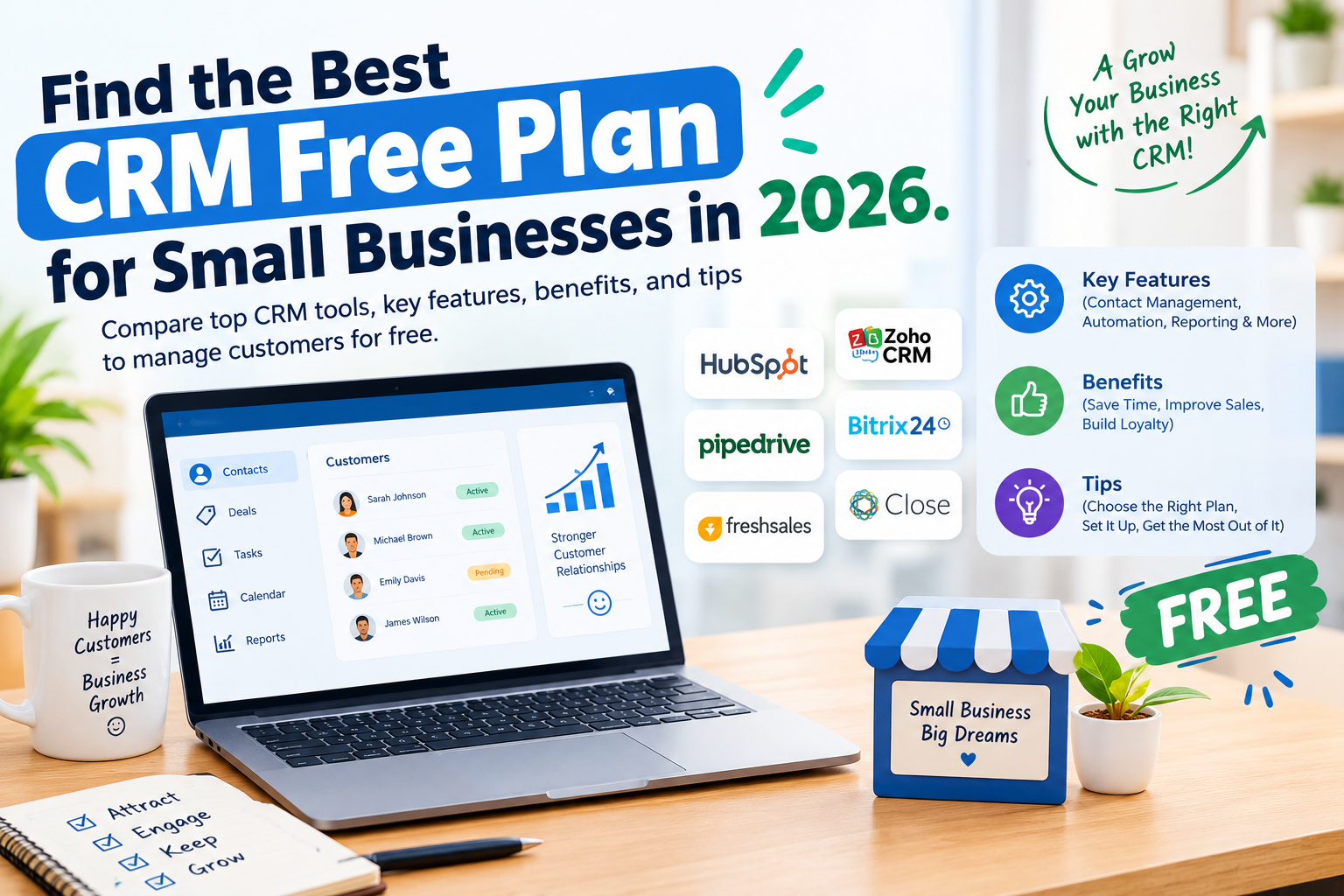
Find the best CRM free plan for small businesses in 2026. Compare top CRM tools, key features, benefits, and tips to manage customers for free.
Introduction
Running a small business takes time, effort, and smart planning. You need to find new customers, answer questions, follow up on leads, and keep track of sales. When customer details are spread across emails, spreadsheets, and notes, it becomes easy to miss important tasks. This is where a customer relationship management system can help.
The best CRM free plan for small businesses gives owners a simple way to manage customer data, track sales, and build better relationships without adding another expense. Many CRM platforms offer free plans with useful features for startups, freelancers, and small teams. These tools can help you organize your work and create a smoother sales process.
However, not every free CRM offers the same value. Some focus on contact management, while others include sales pipelines, email tools, task reminders, and basic reports. Choosing the right option depends on your business goals, team size, and daily needs.
In this guide, you will discover the leading free CRM platforms, learn how their features compare, and find out how to choose a solution that supports your business growth.
What Is a CRM and Why Do Small Businesses Need One?
CRM stands for Customer Relationship Management. It refers to a system that helps businesses store customer information, track conversations, manage sales opportunities, and maintain relationships.
A CRM keeps important details in one place. These details may include customer names, email addresses, purchase history, meeting notes, and follow-up dates.
For example, imagine that you run a small digital marketing agency. Five potential clients contact you in one week. You discuss prices with three clients, send proposals to two, and plan follow-up calls with the rest.
Without a CRM, you may forget who needs a reply or which client received a proposal. A CRM helps you record every interaction and see what needs attention.
How a CRM Helps Small Businesses
A CRM makes customer management easier by reducing manual work. Instead of searching through different files, you can access customer information from one dashboard.
It also helps you improve follow-ups. You can record conversations, set reminders, and track the progress of each lead. This makes your sales process more organized.
Another benefit is better customer service. When customer details and previous conversations are easy to find, you can respond with more relevant information.
For small businesses with limited budgets, a free CRM can provide these benefits without requiring an immediate software investment.
Best CRM Free Plan for Small Businesses in 2026
Several CRM providers offer free plans for individuals, startups, and small teams. The following platforms are worth considering because they serve different business needs.
Before choosing one, check the provider’s current plan limits. Free features, user limits, storage allowances, and integrations can change over time.
1. HubSpot CRM
HubSpot CRM is a popular choice for businesses that want to manage contacts and sales activities in one place. Its free tools can help small teams organize customer information, track deals, and manage basic sales activities.
The platform provides a visual sales pipeline that allows users to see where each potential customer stands. You can record customer interactions and keep track of opportunities as they move through the sales process.
HubSpot also offers a broader collection of marketing, sales, and customer service tools. This can be useful when a business wants to manage more activities through one platform.
For example, a small web design agency can use HubSpot to record inquiries, track proposals, and monitor which potential clients are ready to make a decision.
However, advanced automation, reporting, and other capabilities may require a paid plan. Some features also have usage limits.
HubSpot is a strong option for best CRM free plan for small businesses that want an accessible starting point and room to explore additional business tools as they grow.
2. Zoho CRM
Zoho CRM is designed to help businesses manage leads, contacts, accounts, and sales opportunities. It offers different plans for organizations with different needs, including a free edition for eligible small teams.
The platform helps users organize customer information and follow the sales process. Its broader product ecosystem also includes applications for email, accounting, marketing, and business operations.
For example, a small consulting business could use Zoho CRM to record new inquiries, document client discussions, and track proposals.
Zoho CRM may be especially appealing to businesses that expect to need additional business software in the future.
However, its free edition has restrictions, and certain automation features and integrations may require payment. Review the available features before setting up your entire sales process.
Zoho CRM is worth considering if you want a business-focused best CRM free plan for small businesses with options for future expansion.
3. Freshsales
Freshsales, part of the Freshworks product family, focuses on sales management and customer relationships. Its features and available free options depend on the current plan structure.
The platform is built to help sales teams organize contacts, manage deals, and track customer communication.
A small software company, for instance, could use a sales CRM to record product inquiries and organize conversations with businesses that may become customers.
Freshsales may be suitable for businesses that want a sales-focused interface without the complexity of a large enterprise system.
Before signing up, check whether the current free plan supports your required number of users and includes the communication, reporting, and pipeline features you need.
4. Bitrix24
Bitrix24 combines customer relationship management with other business tools. Depending on the available plan, its ecosystem may include task management, collaboration, communication, and sales features.
This combination can be useful for best CRM free plan for small businesses that want to manage customer relationships and internal work within the same environment.
For example, a small service company may need to record a customer inquiry, assign the task to an employee, and monitor the progress of the work. A combined business platform can help connect these activities.
However, a wide range of features can make the interface feel complex to new users. Free-plan limits and availability may also vary.
Bitrix24 is worth exploring if your business wants more than basic contact management.
5. EngageBay
EngageBay brings together CRM, marketing, sales, and customer support functions. It offers a free plan with limitations that should be checked against your requirements.
The platform can help small businesses organize contacts, manage sales opportunities, and explore marketing activities through a connected system.
Imagine a small online store that collects customer inquiries through its website. A CRM can help the owner organize these contacts and track which people have shown interest in a product.
EngageBay may appeal to businesses that want to combine customer management with basic marketing and sales tools.
However, advanced functions and larger contact volumes may require an upgrade. Compare the current plan limits before choosing it for regular business use.
6. Capsule CRM
Capsule CRM focuses on keeping customer relationships and sales activities organized. It is designed for businesses that prefer a straightforward approach to managing contacts and opportunities.
Users can organize customer records, review sales progress, and keep track of important relationships.
For example, a freelance consultant could use a CRM to record previous conversations with clients and track the progress of new business opportunities.
A simple system can be especially useful for best CRM free plan for small businesses that do not need complex marketing automation.
Capsule offers a limited free option under its plan structure, but users should verify the current number of contacts, users, and available features.
It is a potential fit for small businesses that value simplicity over a large collection of advanced tools.
7. Bigin by Zoho CRM
Bigin is designed with small businesses and sales teams in mind. It emphasizes pipeline management and provides a simpler approach than a full-scale CRM may offer.
Its pipeline-based interface helps users track deals as they move from an initial inquiry to a final decision.
For example, a small event planning business could create stages for new inquiry, discussion, quotation, confirmation, and completion.
This visual structure makes it easier to identify which opportunities need attention.
Bigin offers a free option with restrictions, and available features may differ by plan and region. Confirm the current terms before selecting it.
It is worth considering if your main goal is to organize sales opportunities without managing a large marketing system.
8. Streak CRM
Streak CRM works within Gmail, allowing users to manage customer relationships from their email workflow.
This approach can be convenient for freelancers, consultants, and small businesses that already handle most customer communication through Gmail.
For example, a guest posting reseller could organize publisher inquiries, track client discussions, and monitor deal progress without constantly switching between email and a separate CRM dashboard.
Streak uses a pipeline system to organize work and helps users connect customer conversations with specific opportunities.
Its free plan has restrictions, and advanced collaboration and best CRM free plan for small businesses capabilities may require a paid subscription.
Streak is a practical option for people who prefer to manage customer relationships directly from their inbox.
9. Flowlu
Flowlu combines customer relationship management with project management and other business functions.
This combination can be helpful for service businesses that need to track both sales opportunities and the work that follows a successful sale.
For instance, a small IT service provider might use a CRM to manage leads and then organize project tasks after a customer signs an agreement.
Keeping these activities connected can reduce the need to move information between several applications.
Flowlu offers different plans, including a free option with limitations. Review the current features and user allowances to confirm whether the free version meets your needs.
It may be suitable for businesses that want customer management and project organization in one environment.
10. Monday CRM
Monday CRM provides tools for organizing sales pipelines, contacts, and customer-related work. Its interface uses visual boards and customizable workflows to help teams organize their processes.
A small sales team could use a board to track new leads, follow-up dates, proposals, and closed deals.
The platform may appeal to teams that prefer visual project-style management rather than a traditional CRM layout.
However, Monday CRM’s free availability and restrictions should be checked carefully. Some plans or promotional offerings may provide trials rather than a permanent best CRM free plan for small businesses suitable for ongoing business use.
If a lasting free plan is essential, confirm the terms before investing time in configuring the system.
Comparison of Free CRM Platforms
Choosing a CRM becomes easier when you compare the main purpose of each platform.
| CRM Platform | Main Strength | Best Suited For |
|---|---|---|
| HubSpot CRM | Contact and sales management | Startups and growing businesses |
| Zoho CRM | Sales management and business ecosystem | Small teams planning to expand |
| Freshsales | Sales-focused customer management | Sales teams |
| Bitrix24 | CRM and business collaboration | Teams managing different workflows |
| EngageBay | CRM and marketing tools | Small businesses combining sales and marketing |
| Capsule CRM | Simple relationship management | Freelancers and service providers |
| Bigin by Zoho CRM | Visual sales pipelines | Small sales teams |
| Streak CRM | CRM inside Gmail | Email-focused businesses |
| Flowlu | CRM and project management | Service-based businesses |
| Monday CRM | Visual workflow management | Teams that prefer customizable boards |
This comparison describes each platform’s main focus, not a guarantee that every feature is included in its free plan. Always verify the current pricing page and terms before making a decision.
Essential Features to Look for in a Free CRM
The best free CRM is not necessarily the one with the most features. It is the one that solves your most important problems without creating extra work.
Contact Management
Contact management is the foundation of a CRM. It lets you store customer names, email addresses, phone numbers, company details, and notes.
A good contact database should make it easy to find records and update information. This is important when you manage dozens or hundreds of potential customers.
For example, a small agency can store the details of every business that requests a quotation and review the previous communication before responding.
Sales Pipeline Management
A sales pipeline shows the steps a potential customer takes before becoming a paying client.
Common stages include new lead, contacted, interested, proposal sent, negotiation, and closed.
When you can see every opportunity in one place, it becomes easier to decide which lead needs attention.
A visual pipeline also helps business owners understand where sales are slowing down.
Task Reminders and Follow-Ups
Following up with customers is an important part of sales. People may miss emails, delay decisions, or need more information before buying.
A CRM with task management or reminders can help you remember when to contact a lead again.
For example, after sending a proposal on Monday, you could schedule a follow-up for Thursday. This creates a consistent process and reduces the risk of forgetting important conversations.
Check whether reminders are included in the free plan and whether they work through the interface, email, or mobile application.
Email Integration
Email integration can make customer communication easier by connecting messages with contact records.
Instead of searching your inbox for an old conversation, you may be able to review relevant communication from the CRM.
This is particularly useful for freelancers, agencies, and businesses that receive many customer inquiries.
However, email tracking, automated sequences, and advanced synchronization may be restricted to paid plans.
Reporting and Sales Tracking
Reports help you understand how your sales process is performing.
Depending on the platform and plan, you may be able to review open deals, lead sources, conversion rates, and sales activity.
Even basic reporting can help you identify problems. If many leads receive proposals but few become customers, you may need to improve your pricing, communication, or offer.
For a best CRM free plan for small businesses, simple and accurate reporting is often more useful than a complex dashboard filled with data that nobody reviews.
Data Security and Access Controls
Customer records may contain personal information, business details, and private conversations.
Choose a CRM that provides appropriate account security, clear privacy terms, and suitable access controls.
Use a strong password and enable multifactor authentication when available. Give employees access only to the information they need.
Also review data export options. You should understand how to retrieve your customer records if you later switch to another CRM.
How to Choose the Best Free CRM for Your Business
Your ideal CRM depends on the way your business operates.
Identify Your Main Business Need
Start by identifying the biggest problem you want to solve.
If you frequently lose customer information, prioritize contact management. If you forget follow-ups, look for task reminders. If you struggle to understand which deals may close, choose a best CRM free plan for small businesses with a clear sales pipeline.
Avoid selecting a platform simply because it offers many features. A complicated system can become another task instead of a solution.
Check User and Contact Limits
Many free CRM plans limit the number of users, contacts, records, or available features.
A plan that works for a solo freelancer may not suit a team of five people.
Before registering, estimate how many customer records you need today and how quickly that number may grow.
Also check whether the provider requires a credit card and whether the offer is a permanent free plan or a temporary trial.
Review Integration Options
Your CRM should work well with the tools you already use.
Depending on your business, useful integrations may include Gmail, Outlook, calendars, website forms, accounting software, and project management applications.
For example, a business that receives leads through its website may benefit from a best CRM free plan for small businesses that can collect form submissions automatically.
If an essential integration is only available on a paid plan, include that limitation in your decision.
Consider Ease of Use
A CRM should save time rather than make simple tasks harder.
Look for a clear interface, useful search functions, and a sales pipeline that matches your process.
Try entering a few contacts and creating a sample deal before moving all your customer records.
If the platform feels confusing after a short trial, another option may be better for your business.
Understand Future Costs
Free software can be a good starting point, but business needs change.
You may eventually need more users, larger contact limits, advanced automation, or better reports.
Review the paid plans so you understand what an upgrade would cost if your business grows.
You do not need to purchase advanced features immediately. However, knowing the future cost can help you avoid an unexpected expense.
How to Set Up a Free CRM for a Small Business
Setting up a CRM does not have to be complicated. A simple process can help you start using it effectively.
Step 1: Create Your Account
Choose a platform that matches your needs and sign up for its free plan.
Complete the basic account settings and explore the main dashboard. Check the available tools before importing customer data.
Step 2: Organize Your Customer Records
Prepare a clean spreadsheet containing the information you need.
You might include customer name, company, email address, lead source, current status, and next follow-up date.
Remove duplicate records and correct obvious errors before importing the data.
If you are starting from scratch, add only the information that helps you manage customer relationships.
Step 3: Create a Sales Pipeline
Set up stages that reflect your real sales process.
For example, a freelance service provider might use new inquiry, contacted, interested, quotation sent, negotiation, and won or lost.
Keep the process simple. Too many stages can make it difficult to maintain accurate records.
Step 4: Add Follow-Up Tasks
Create reminders for important customer conversations.
If someone asks for a quotation, record the request and schedule the next action. If a client needs time to decide, add a suitable follow-up date.
This small habit can help you maintain more consistent communication.
Step 5: Review Your Results
Set aside time each week to review open deals, overdue tasks, and new leads.
Check whether every active opportunity has a clear next step.
You can also review which lead sources bring the most promising customers. Over time, these insights can help you improve your sales process.
Common Mistakes to Avoid When Using a Free CRM
One common mistake is collecting customer information without updating it. An outdated CRM may contain incorrect email addresses, duplicate records, or opportunities that are no longer active.
Set a regular time to review your records and correct errors.
Another mistake is choosing a CRM with too many features. Advanced functions may look attractive, but they provide little value if your business only needs contact management and reminders.
Some businesses also rely on a best CRM free plan for small businesses without creating a clear sales process. Software cannot replace thoughtful customer communication. You still need to respond promptly, understand customer needs, and offer suitable solutions.
Finally, do not assume that a free plan will remain sufficient forever. Review your requirements as your business grows and check plan changes before they affect your daily work.
Are Free CRM Plans Good Enough for Small Businesses?
For many small businesses, a free CRM is a practical starting point.
A freelancer managing a few dozen contacts may need only a contact database, a simple pipeline, and reminders. A small agency may benefit from deal tracking and basic reports.
These businesses can often begin without paying for advanced software.
However, a growing sales team may need more users, automation, detailed reports, advanced permissions, or integrations. These requirements can make a paid plan more suitable.
The key is to focus on the value you receive rather than the number of features advertised.
A free CRM that your team uses every day can be more useful than an expensive platform that nobody updates.
How a Free CRM Can Support Business Growth
A CRM can support growth by helping you manage leads more consistently.
When every inquiry is recorded, you have a clearer view of potential sales. When follow-ups are scheduled, fewer opportunities are forgotten. When customer conversations are organized, you can provide more relevant responses.
Consider a small web development company that receives 30 inquiries in a month. Without an organized system, its owner may struggle to remember which prospects received proposals and which need another conversation.
By recording each inquiry in a CRM, the owner can review the pipeline and prioritize active opportunities.
The software does not guarantee more sales. Results depend on the quality of your service, your pricing, your communication, and the customers you target.
However, a well-maintained CRM can provide the structure needed to manage these activities more effectively.
Frequently Asked Questions
What Is the best CRM free plan for small businesses?
HubSpot CRM is a strong starting point for businesses that need contact management and sales tracking. Zoho CRM, Bigin, Streak, and other platforms may be better for specific workflows. The best option depends on your required features, user count, and free-plan limits.
Is There a CRM That Is Completely Free?
Yes. Some providers offer free CRM plans with ongoing access to selected features. However, free plans usually have restrictions on users, contacts, automation, integrations, or reporting. Check the current terms to distinguish a permanent free plan from a limited-time trial.
Is HubSpot best CRM free plan for small businesses?
HubSpot offers a free CRM option for businesses that want to organize contacts and manage basic sales activities. Some advanced features and higher usage limits require paid subscriptions. Review the official pricing information to confirm what is currently included.
What Is the Easiest CRM for Beginners?
A beginner-friendly CRM should have a clear dashboard, simple contact records, and an easy way to track sales opportunities. HubSpot CRM, Bigin, and Streak are worth exploring, depending on whether you prefer a traditional CRM, a pipeline-focused system, or a Gmail-based workflow.
Can I Use a Free CRM for a Startup?
Yes. A best CRM free plan for small businesses can help a startup organize early customer relationships, record sales opportunities, and manage follow-ups. As the business grows, the team can review whether it needs additional features or a paid subscription.
Do Free CRMs Have Contact Limits?
Many best CRM free plan for small businesses plans have contact, user, storage, or feature limits. The exact restrictions vary by provider and can change over time. Review the current plan details before importing a large customer database.
Is a Free CRM Better Than Excel?
Excel can work well for a small list of customers and basic recordkeeping. A best CRM free plan for small businesses is often more useful when you need sales pipelines, reminders, connected communication, and a shared customer database. The right choice depends on the complexity of your workflow.
Can a Free CRM Help Increase Sales?
A CRM can help improve sales management by organizing leads, supporting follow-ups, and making opportunities easier to track. It cannot guarantee higher revenue, but it can help you manage the sales process more consistently.
Which Free CRM Is Best for Freelancers?
Freelancers may prefer HubSpot best CRM free plan for small businesses for general contact and deal management or Streak for managing customer relationships within Gmail. The best option depends on how you communicate with clients and which features are available without payment.
When Should a Small Business Upgrade to a Paid CRM?
Consider upgrading when your business consistently reaches free-plan limits or needs features that are unavailable without payment. Examples include advanced automation, more team members, detailed reports, and additional integrations. Compare the cost with the time saved and business value provided.
Conclusion
Finding the best CRM free plan for small businesses can help you organize customer information, manage sales opportunities, and improve follow-ups without increasing your software budget.
HubSpot CRM is a useful starting point for general customer and sales management. Zoho CRM offers a broader business ecosystem, while Bigin focuses on sales pipelines and Streak works within Gmail. Other options may suit businesses that need marketing tools, project management, or team collaboration.
Before choosing a platform, identify your main needs, check the current free-plan limits, and test the interface with a few sample contacts. Focus on the features you will actually use rather than selecting a tool simply because it offers more options.
Ready to improve your customer management? Choose a best CRM free plan for small businesses that fits your workflow, organize your first customer records, and create a simple follow-up process. Start with the essentials, review your progress regularly, and upgrade only when your business genuinely needs more.
