

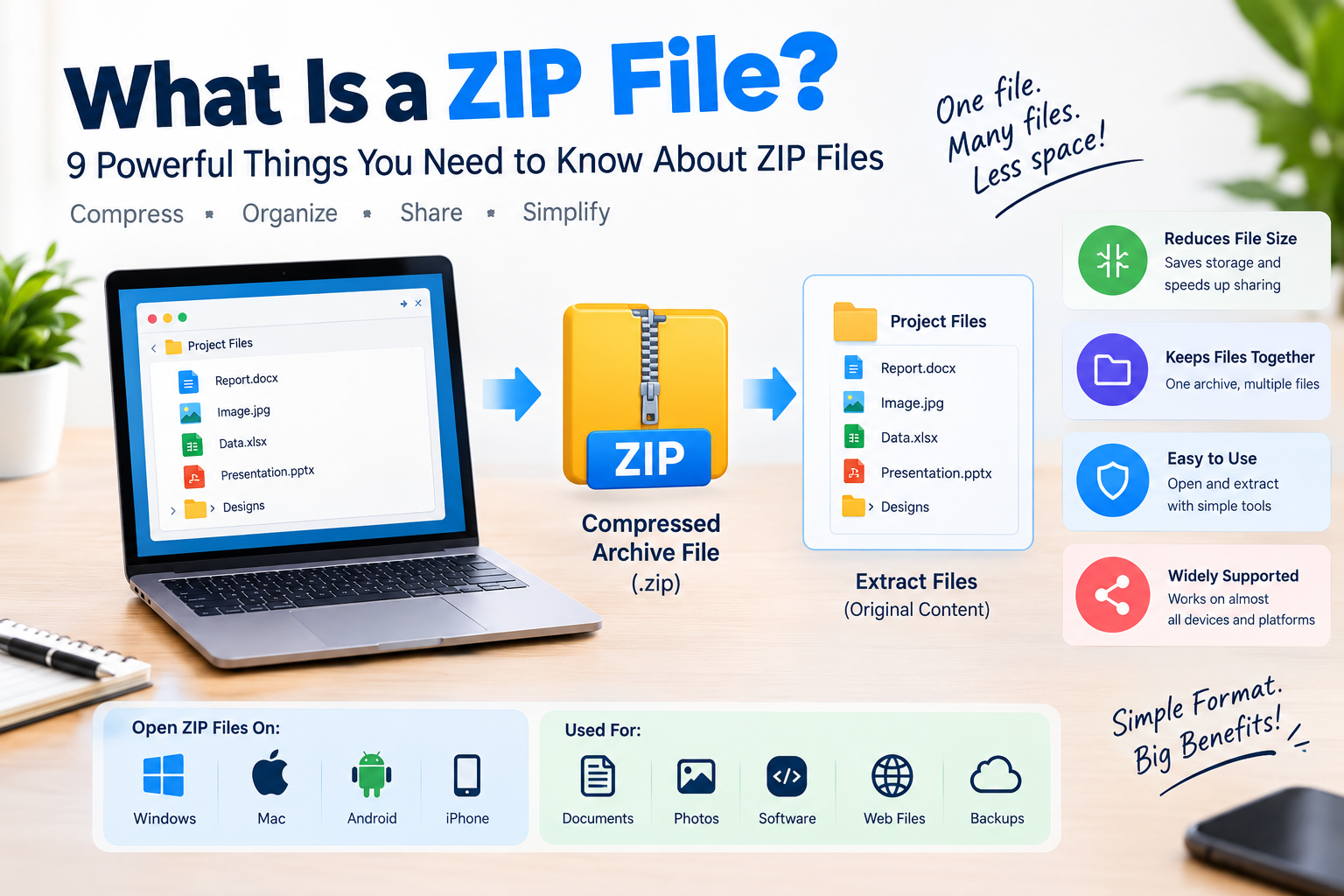
Learn what a ZIP file is, how compression works, how to open or create ZIP files, and how to extract files safely on different devices.
A ZIP file is a common file format that combines multiple files or folders into a single compressed archive. It makes files easier to store, organize, and share while potentially reducing their overall size. ZIP files are widely used for sending documents, downloading software, and transferring groups of files across devices. Understanding what a ZIP file is can help you open archives, extract their contents, create compressed folders, and handle downloaded files more confidently. This guide explains nine essential facts about ZIP files and how they work.
Have you ever downloaded a file and noticed that it ends with .zip? You may have wondered what it means and why people use ZIP files instead of sending normal folders.
A ZIP file is a simple way to store multiple files in one package while often reducing their overall size. It is widely used for sharing documents, images, software, website files, and other digital content. You can find ZIP files on Windows computers, Macs, smartphones, websites, email attachments, and cloud storage services.
The good news is that you do not need advanced technical knowledge to use one. Most modern devices can open ZIP files with built-in tools. Once you understand how they work, creating, opening, and sharing them becomes very easy.
In this guide, you will learn what a ZIP file is, how ZIP compression works, how to open and create ZIP files, what the ZIP extension means, and how to use files safely.
What Is a ZIP File?
A ZIP file is a compressed archive file that can contain one or more files and folders. Its filename normally ends with the .zip extension.
Think of a ZIP file as a digital package. Instead of sending ten separate files, you can put them into one ZIP archive and send that single file.
For example, imagine you have a folder containing a report, five images, a spreadsheet, and a presentation. You could send every file separately, but that can be inconvenient. You can instead compress the entire folder into something like ProjectFiles.zip.
The person receiving the file can download it and extract the contents.
ZIP files are useful because they can organize files and, depending on the type of data, reduce the amount of storage space required.
The ZIP format has been around for decades and remains one of the most widely supported archive formats.
What Does ZIP Stand For?
ZIP does not simply mean “folder.” It refers to a file format designed for data compression and archiving.
The format became popular because it could store several files inside one archive while also compressing their data.
A ZIP archive can contain documents, images, videos, software files, folders, and many other types of digital data.
The important difference is that a what is a ZIP is not the same thing as a normal folder. A folder organizes files on your computer, while a ZIP archive packages files into a compressed archive that can be transferred or stored as one file.
How Does a ZIP File Work?
A ZIP file generally performs two related jobs: archiving and compression.
Archiving means putting multiple files and folders into a single container. Compression means reducing the amount of data needed to represent certain files.
For example, suppose you have 20 documents in a folder. Without compression, you may need to upload all 20 files separately.
After creating a ZIP archive, those documents can be stored inside one .zip file.
The compression process looks for patterns and repeated information in the data. Instead of storing the same information repeatedly, compression algorithms can represent some patterns more efficiently.
When you extract the ZIP , the software reverses the process and recreates the original files.
This is why you can usually compress and then extract a document without changing its contents.
what is a ZIP Compression?
ZIP compression is a form of lossless compression for supported data.
Lossless compression means the original information can be recovered after decompression.
This is different from some forms of image, audio, and video compression that remove information to reduce file size.
For example, when you compress a text document into a ZIP file and later extract it, the document should contain the same information as before compression.
ZIP archives can use different compression methods. The most common approach associated with ZIP is the DEFLATE algorithm, which combines LZ77 compression with Huffman coding.
However, not every file becomes much smaller when placed in a ZIP archive.
Why Doesn’t Every File Get Smaller?
This is an important point for beginners.
ZIP compression works best when a file contains data that can be represented more efficiently. Some files already use compression, so putting them inside another compressed archive may produce little or no reduction in size.
For example, many JPEG images are already compressed. The same is true for many MP3 audio files and MP4 video files.
If you put a highly compressed JPEG into a ZIP archive, the size may barely change.
On the other hand, text files, certain documents, spreadsheets, and other data with repeated patterns may compress more effectively.
This is why the amount of space saved by a what is a file depends heavily on the files inside it.
What Is a ZIP File Used For?
ZIP files are used in many everyday situations.
One common use is file sharing.
Suppose a teacher needs to send students a folder containing course materials. Instead of attaching many individual files, the teacher can create one ZIP archive.
Another common use is software distribution.
Developers may package source code, configuration files, documentation, and other project files into a ZIP archive. Users can download the archive and extract it on their computers.
ZIP files are also common in website development. A developer might download a theme, plugin, template, or project package as a file.
Businesses use ZIP files to transfer collections of documents, reports, images, and other files.
ZIP archives are also useful when backing up small groups of files or preparing files for upload.
How to Open a ZIP File on Windows
Opening a ZIP file on Windows is usually simple because modern versions of Windows include built-in support for ZIP archives.
First, locate the .zip file on your computer. It may be in your Downloads folder, Desktop, Documents folder, or another location.
Right-click the ZIP file and look for the option to extract its contents. Windows can extract the archive into a new folder or another location you select.
After extraction, you can open the files normally.
For example, if you download photos.zip, extracting it may create a folder containing the original photographs.
You do not normally need special software for basic ZIP extraction on Windows.
How to Open a ZIP File on Mac
Mac computers also provide built-in ZIP support.
When you double-click a file in Finder, macOS can normally extract it automatically.
The extracted files will appear in the same location unless the system or application uses another destination.
For example, if you have documents.zip in your Downloads folder, double-clicking it can create an extracted folder or files in that location.
This makes ZIP files convenient for Mac users as well as Windows users.
How to Open a ZIP File on Android
Many modern Android phones can open ZIP files using their built-in file management application or another file manager.
Open the Files app or file manager on your phone and locate the ZIP archive.
Tap the file and look for an option such as Extract or Unzip.
The exact steps can differ depending on the phone manufacturer and Android version.
If your phone does not support ZIP extraction through its default file manager, a reputable archive application can provide the required functionality.
Always download file-management or archive applications from trusted sources.
How to Open a ZIP File on iPhone
iPhones and iPads also support ZIP through the built-in Files app.
If you receive or download a ZIP archive, save it to the Files app.
Find the ZIP file and tap it. iOS can normally extract the archive and create a folder containing its contents.
This is useful when you receive several documents or images as a single ZIP file.
The exact interface can change between iOS versions, but the basic process remains straightforward.
How to Create a ZIP File
Creating a ZIP file is just as easy as opening one.
On Windows, select the files or folder you want to compress. Right-click the selection and use the option for creating a compressed ZIP folder.
Your computer will create a new ZIP archive.
On macOS, select the files or folder in Finder, right-click, and choose the compression option.
The operating system will create a ZIP archive containing your selected content.
The process is useful when you want to send several files as one attachment or upload a folder to a service that accepts ZIP archives.
What Is the Difference Between ZIP and RAR?
ZIP and RAR are both archive formats, but they are not identical.
ZIP is widely supported across operating systems and applications. In many cases, you can create and extract ZIP without installing additional software.
RAR is another popular archive format developed by Eugene Roshal. It can offer different compression features and archive capabilities, but support for creating or opening RAR files may depend on the operating system and software you use.
For basic file sharing, ZIP is often convenient because of its broad compatibility.
However, the right archive format depends on the specific task, file sizes, compression requirements, and software available to the people receiving the archive.
ZIP vs 7Z
7Z is another archive format associated with the open-source 7-Zip software.
7Z can provide strong compression and supports several compression methods.
ZIP has an advantage in compatibility because it is supported by many operating systems and applications without additional software.
7Z may be useful when maximum compression is important and everyone involved has suitable software.
For simple everyday file sharing, ZIP remains a practical choice because most users already have tools that can handle it.
Are ZIP Files Safe?
A ZIP itself is not automatically dangerous. However, like any other file format, ZIP archives can contain harmful files.
This is why you should be careful when downloading ZIP files from unknown websites or opening ZIP attachments from unexpected emails.
A ZIP archive can contain executable files or other content that may be harmful if opened.
For example, an attacker could send an archive named invoice.zip containing a malicious program. The archive itself may look harmless, but the file inside could create a security problem.
This is why the source of a ZIP file matters.
If you receive an unexpected ZIP attachment, verify who sent it before opening it. If the message looks suspicious, avoid extracting or running its contents.
Keep your operating system and security software updated, and scan suspicious downloads before opening them.
Can a ZIP File Contain a Virus?
Yes, a ZIP archive can contain malicious software.
The ZIP format does not guarantee that the files inside are safe.
For example, an archive could contain an executable program, malicious script, or infected document.
This does not mean that files are dangerous by default. ZIP is simply a container and compression format. The safety of an archive depends on what it contains and where it came from.
A ZIP file downloaded from a trusted source is different from an unexpected attachment from an unknown sender.
If you are unsure about an archive, do not open or run its contents until you have verified the source.
Can You Password Protect a ZIP File?
Yes, some ZIP tools support password protection and encryption.
Password-protected archives can be useful when you need to send sensitive files.
For example, suppose you need to send several confidential documents to a colleague. You could place them inside an encrypted archive and provide the password through a separate communication channel.
However, not all ZIP encryption methods provide the same level of security.
Modern archive software may offer stronger encryption options, while older ZIP encryption methods may have security weaknesses.
If the files are highly sensitive, use a modern encryption method and trusted software rather than relying on an outdated ZIP password option.
What Happens When You Extract a ZIP File?
Extracting a file means taking the files stored inside the archive and restoring them to normal files and folders.
Imagine that website-files.zip contains HTML files, images, CSS files, and JavaScript files.
After extraction, you might see:
index.html
style.css
script.js
and an images folder.
The ZIP file remains separate unless you delete it. You can keep the archive as a backup or remove it after confirming that the extracted files work correctly.
Can You Email a ZIP File?
Yes, ZIP can often be attached to emails.
They are useful when you need to send multiple files together.
For example, instead of attaching 15 photographs separately, you can put them into one ZIP archive.
However, email providers often impose attachment size limits. Compressing files can help, but it does not guarantee that a large collection will fit within the provider’s limit.
If the ZIP archive is still too large, cloud storage or a file-transfer service may be a better option.
Can You Upload a ZIP File to a Website?
Many websites allow ZIP uploads.
Developers frequently upload ZIP archives containing website themes, plugins, code projects, or other resources.
Some online platforms also accept ZIP files when users need to submit several documents together.
However, every website has its own file-size and file-type rules.
If a website rejects your ZIP file, check its upload requirements. The issue could be the archive size, the contents, the filename, or the website’s security restrictions.
What Is a ZIP File in Simple Words?
In very simple terms, a ZIP file is a digital package that can hold files and often make them smaller.
Imagine putting several papers into one envelope before mailing them.
The envelope keeps everything together.
A ZIP archive works in a similar way, except it can also compress the information inside.
You can create the archive, send it to someone, and the recipient can extract it to get the original files back.
That simple concept explains why ZIP remains useful after many years.
Common ZIP File Problems
Sometimes users experience problems when opening or extracting ZIP files.
One common problem is a corrupted archive. This can happen if a download was interrupted or the archive became damaged.
Another problem occurs when the archive was created using a compression or encryption method that your software does not support.
A third issue can occur when the ZIP file is password protected and you do not have the correct password.
You may also encounter an error if your computer does not have enough free storage space to extract a large archive.
Checking the source of the ZIP file, downloading it again, freeing storage space, or using updated archive software can often help solve these problems.
How Large Can a ZIP File Be?
ZIP archives can support very large files and archives under modern ZIP specifications, but practical limits depend on the software, file system, and tools being used.
Older ZIP implementations may have much smaller limits than modern ZIP64-compatible tools.
ZIP64 was developed to support archives and files larger than the limits of traditional ZIP implementations.
For normal everyday tasks, such as sharing documents and photographs, these technical limits are rarely a concern.
Large software packages, backups, and professional data collections may require more attention to archive format and compatibility.
Does ZIP Reduce Image Quality?
Normally, creating a ZIP archive does not reduce image quality.
ZIP uses lossless compression, so the original image can be recovered after extraction.
However, ZIP compression usually does not make already-compressed images such as JPEG files dramatically smaller.
This is because JPEG already uses compression techniques designed to reduce file size.
If you need a much smaller image, changing the image format, dimensions, or image compression settings may have a greater effect than placing the image inside a ZIP archive.
Why Are ZIP Files Still Popular?
ZIP files remain popular because they solve a very basic digital problem: how to package and transfer files efficiently.
They are easy to create, easy to open, widely supported, and useful across many different devices.
A student can use ZIP to submit an assignment folder.
A freelancer can use it to deliver project files to a client.
A developer can use it to distribute source code.
A business can use it to share a collection of documents.
A photographer can use it to package multiple files for delivery.
The technology behind ZIP is not new, but its usefulness has allowed it to remain a common part of everyday computing.
Frequently Asked Questions About ZIP Files
What is a ZIP file used for?
A ZIP file is used to package one or more files and folders into a single archive. It can also compress supported data to reduce storage and transfer size.
Is a ZIP file the same as a folder?
No. A normal folder organizes files on your computer, while a ZIP file is an archive that packages files and can compress their data.
How do I open a ZIP file?
On modern Windows and Mac computers, you can usually open ZIP files using built-in tools. Android and iPhone devices can also extract ZIP files through their file-management applications.
Are ZIP files safe to open?
ZIP files are not automatically unsafe, but they can contain malicious files. Only open ZIP archives from trusted sources and be careful with unexpected email attachments or downloads.
Can a ZIP file contain multiple files?
Yes. A ZIP archive can contain multiple files and folders, which makes it useful for sending or storing groups of files as one package.
Does a ZIP file make files smaller?
It can. ZIP uses compression to reduce the size of some types of data. However, files that are already compressed may not become significantly smaller.
Can I create a ZIP file without installing software?
Yes. Modern versions of Windows and macOS include built-in options for creating ZIP archives. Mobile devices can also create archives with suitable file-management tools.
Can I send a ZIP file by email?
Yes, if the ZIP file meets your email provider’s attachment requirements. If the archive is too large, you may need to use cloud storage or another file-transfer method.
Can ZIP files be password protected?
Yes. Some archive programs allow you to protect ZIP files with passwords and encryption. For sensitive information, use modern encryption options from trusted software.
What is the difference between ZIP and RAR?
Both are archive formats, but ZIP generally has broader built-in support across operating systems. RAR offers its own compression and archive features and may require dedicated software for some tasks.
Does extracting a ZIP file delete the ZIP file?
Normally, no. Extracting creates copies of the files contained in the archive. The original ZIP file usually remains until you choose to delete it.
Can a ZIP file damage my computer?
A ZIP file itself does not normally damage a computer, but it can contain malicious software. The main risk comes from opening or running harmful files stored inside the archive.
Conclusion
A ZIP file is a compressed archive that can store multiple files and folders in one convenient package. It can make certain types of data smaller, simplify file sharing, and keep related files together.
You can use ZIP files for school projects, business documents, software, website files, photographs, backups, and many other tasks. Most modern computers and smartphones can open ZIP archives without complicated software.
The most important thing to remember is that ZIP files are containers. Their safety depends on what they contain and where they came from. Be careful with unexpected downloads and email attachments, especially when an archive contains executable files.
Now that you know what a ZIP file is and how it works, you can confidently create, extract, share, and manage ZIP archives. When you receive a ZIP file, check its source, extract it safely, and review the contents before opening anything unfamiliar.
