
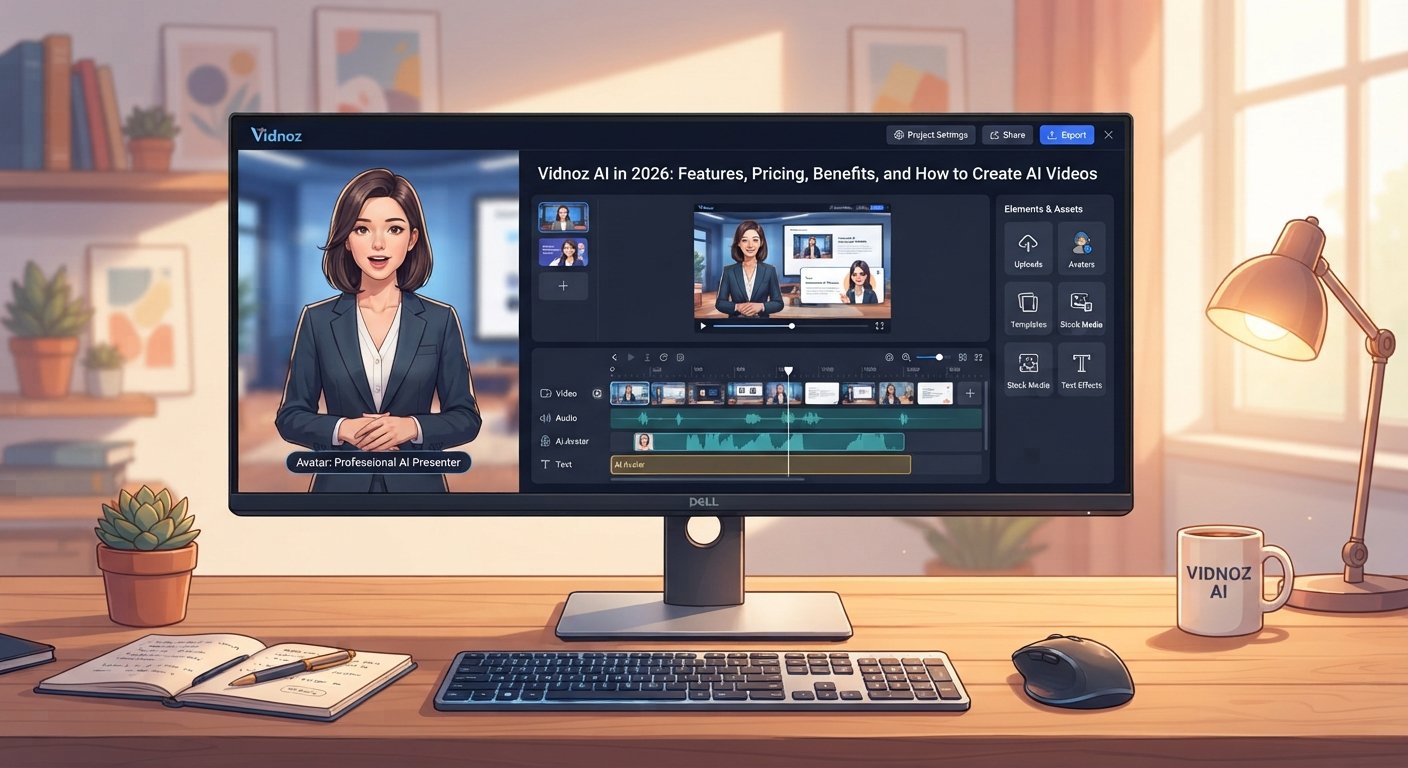
Discover Vidnoz AI in 2026, including AI avatars, video generation, templates, voices, pricing, use cases, and tips for better videos.
Creating professional videos once required a camera, microphone, actors, editing software, and plenty of time. AI video tools have changed that process. Today, a person can start with a script or simple idea and turn it into a finished video without recording themselves.
Vidnoz AI is one of the platforms built around this idea. It combines AI avatars, text-to-video features, voice generation, templates, video editing, translation, and other tools in one online platform. According to Vidnoz’s current official information, its platform offers more than 1,900 AI avatars, more than 2,660 voices on paid plans, and more than 3,200 video templates, although the exact features and limits depend on the plan.
For marketers, educators, small businesses, content creators, and teams, this can make video production much faster. However, choosing an AI video generator should not be based only on the number of avatars or templates. The quality of the final video, ease of editing, voice quality, pricing, usage limits, and suitability for your project all matter.
This guide explains what Vidnoz AI is, how it works, what features it offers, how much it costs, where it can be useful, and what to consider before using it.
What Is Vidnoz AI?
Vidnoz AI is an online AI video creation platform designed to help users create videos without traditional filming equipment. It provides AI avatars that can present scripts, AI voices for narration, video templates, text-to-video tools, editing features, and other video creation functions.
The platform can be useful when you need a presenter-style video but do not want to appear on camera. Instead of recording a person, you can choose an AI avatar, enter a script, select a voice, customize the scene, and generate the video.
Vidnoz also provides tools for different content types. Its official pages describe use cases that include marketing, education, training, social media, advertisements, explainers, and other business content.
The platform works through a web browser, so users do not need to install traditional desktop video editing software for basic creation and editing.
How Does Vidnoz AI Work?
The basic workflow is designed to be simple.
You can begin by selecting a template or starting a new video. You then choose an AI avatar or another visual format, add your script, select an AI voice, and customize the video.
Vidnoz describes its basic AI video process as choosing a template and avatar, entering the script and voiceover settings, and generating the video.
This approach is useful for people who know what they want to say but do not have video production skills.
For example, imagine a small online store launching a new product. Instead of hiring a presenter, the owner could create a short script explaining the product, select an AI presenter, add product images, and create a promotional video.
The result still needs human review. The creator should check the pronunciation, pacing, visuals, claims, and overall presentation before publishing.
Key Features of Vidnoz AI
Vidnoz AI includes several tools that cover different stages of video production.
AI Avatars
AI avatars are one of the platform’s main features. They allow users to create presenter-style videos without filming a person.
Vidnoz currently advertises more than 1,900 AI avatars, with options covering different ages, professions, appearances, and presentation styles. The platform also supports lip synchronization so that the avatar’s mouth movements match the generated speech.
This can be useful for tutorials, training videos, product introductions, internal communication, and educational content.
For example, a software company could create a short onboarding video where an AI avatar explains how new employees should access company tools.
AI Voices
Voice generation is another important part of an AI video workflow.
Vidnoz provides AI-generated voices that can turn written scripts into spoken narration. Its current pricing information lists more than 2,660 voices on its paid plans.
A wide selection of voices can help creators choose a tone that matches their content.
For a professional training video, a calm and clear voice may work better. For a short social media advertisement, a more energetic delivery may be appropriate.
The important point is to listen to the complete generated video before publishing it. AI voices can still make pronunciation or emphasis mistakes, especially with unusual names, technical terms, abbreviations, or local words.
Text-to-Video
Vidnoz can turn text and prompts into video content.
Its current text-to-video tools can work with prompts and text-based material. Vidnoz also describes options for creating videos from files such as presentations and PDFs.
This can save time when transforming existing information into a visual format.
For example, a teacher could have a lesson presentation and use it as a starting point for a narrated educational video.
However, automatically generated videos should still be reviewed. AI may organize information differently from the original document or create visuals that do not perfectly match the intended meaning.
Video Templates
Templates can reduce the time required to design a video from scratch.
Vidnoz currently advertises more than 3,200 templates on its pricing page. Its template library covers different types of content, including marketing, education, training, and social media formats.
Templates are particularly helpful for beginners because they provide a starting structure.
Instead of deciding where every image, title, text box, and avatar should appear, users can customize an existing design.
AI Video Editing
Vidnoz also provides browser-based video editing tools. Its official editor includes features for adding captions, titles, subtitles, images, shapes, music, and other elements.
This makes the platform more than just an avatar generator.
A creator can generate a presenter video and then make changes to the visual presentation before exporting or sharing it.
AI Video Translation
Video localization can be useful for businesses that serve audiences in different countries.
Vidnoz’s current pricing information lists one-click video translation and an AI video translator supporting more than 140 languages on certain plans.
This can help a business adapt one piece of content for several markets.
For example, an online course created in English could potentially be translated into other languages so international learners can access the material.
Translation should still be reviewed by a qualified speaker when accuracy is important. Automated translation can struggle with cultural context, industry terminology, and expressions.
How to Create a Video With Vidnoz AI
Creating a video with Vidnoz AI generally follows a simple process.
Start With a Clear Script
Before opening the editor, decide what the video needs to communicate.
A short script is often easier to manage than a long block of text. Start with the main idea, explain the important information, and finish with a clear next step.
For example, a product video could begin by identifying a customer problem, introduce the product as a solution, explain its main benefit, and finish with a call to action.
Select an Avatar
Choose an avatar that matches the subject and audience.
A corporate training video may need a professional presenter. A social media video may use a more casual style.
The avatar should support the message rather than distract from it.
Choose a Voice
Select a voice that fits the script.
Listen for pronunciation, speed, pauses, and emotional tone. If the voice sounds too fast, adjust the script or voice settings where available.
Short sentences can also improve the natural flow of AI narration.
Customize the Scene
Add relevant images, text, background elements, captions, and other media.
The goal is not to fill every part of the screen. A clean design can make information easier to understand.
Generate and Review
After generating the video, watch the complete result.
Check every section before publishing. Look for incorrect pronunciation, awkward pauses, spelling errors, poor visual choices, and claims that need verification.
This final review is important because AI tools can produce content quickly, but speed does not guarantee accuracy.
Vidnoz AI Pricing in 2026
Vidnoz offers free and paid plans, with features and limits varying by subscription.
Its current official pricing page lists a Free plan at $0, while paid options include Starter, Business, and Enterprise plans. The listed paid plans provide higher video limits, additional avatars and voices, higher export resolution, and more advanced features.
The Free plan currently includes video creation with limitations, including a maximum video duration of up to three minutes and 720p export according to the pricing page. Paid plans can support videos of up to 60 minutes and 1080p export, depending on the plan.
Pricing and feature limits can change, so users should check the official pricing page before purchasing a subscription.
One important detail is the credit system. Vidnoz states that credits are used for different generation features and that unused subscription credits do not carry over to the next billing period.
This means users should consider how frequently they expect to create videos before choosing a plan.
Is Vidnoz AI Free?
Yes, Vidnoz currently offers a free plan.
The free option can be useful for beginners who want to understand the platform before paying. However, free usage has limits, and some advanced features are available only through paid plans.
For example, the current pricing information shows differences between free and paid plans in areas such as video duration, export quality, processing speed, avatars, voices, watermark removal, and advanced business features.
A free account can therefore be a practical starting point for testing the workflow.
Vidnoz AI for Content Creators
Content creators often need to publish videos regularly. Recording every video can take significant time.
An AI video generator can help create certain types of content faster.
For example, a creator could turn an educational article into a short explainer video. Another creator could create a product introduction without recording their own voice.
However, AI-generated content should not become repetitive. Viewers can quickly lose interest when videos use the same avatar, voice, structure, and generic script every time.
Creators should add original ideas, useful examples, strong hooks, and relevant visuals.
The technology should support the content rather than become the entire content strategy.
Vidnoz AI for Marketing
Marketing teams can use AI video tools for product demonstrations, advertisements, social media content, customer education, and promotional videos.
A small business may not have the budget for a full production team. Vidnoz can reduce some of the traditional production steps by providing templates, AI presenters, voices, and editing features in one platform.
For example, a software company launching a new feature could create a short video that demonstrates the feature and explains its main benefit.
A marketing team could then adapt the same concept for different platforms.
The most effective approach is to keep the message focused. A video should answer a clear question or solve a clear customer problem rather than simply showing AI effects.
Vidnoz AI for Education
Education is another area where AI video creation can be useful.
Teachers, trainers, and course creators can create narrated lessons, instructional videos, onboarding materials, and presentations.
A teacher could turn a difficult concept into a short visual lesson. A company could use an AI presenter to explain workplace procedures to new employees.
Vidnoz also lists SCORM export among the features available on certain paid plans, which can be useful for learning management system workflows.
The human educator remains important, though. AI-generated video should support teaching rather than replace good lesson planning.
Vidnoz AI for Small Businesses
Small businesses often need video content but may not have dedicated video teams.
An AI video platform can help with basic product demonstrations, customer instructions, promotional content, recruitment videos, and internal training.
Consider a small online clothing store. The owner could create a short video explaining how to choose the right size, how delivery works, or how to care for a product.
These videos can answer common customer questions and reduce the need to explain the same information repeatedly.
The business should still ensure that product claims, prices, policies, and other factual details are accurate.
Advantages of Vidnoz AI
One major advantage is convenience. Users can create videos from a browser without setting up a traditional filming environment.
The platform also brings multiple tools together. Instead of using one service for avatars, another for voice generation, and another for editing, users can handle many steps in the same environment.
The template library can also help beginners create a starting point quickly. The current platform provides a large selection of templates and AI avatars.
Another advantage is scalability. Once a business has a script and visual style, it can potentially produce variations for different audiences.
Limitations to Consider
AI video tools are not perfect.
Some AI avatars may look less natural than a real presenter. Voice generation can sometimes produce unusual pronunciation. Automated scripts can also contain mistakes or generic language.
Another consideration is cost. A free plan can be useful for testing, but frequent video production may require a paid subscription.
Credit-based systems also mean users need to understand how different features consume credits. Vidnoz’s official pricing information explains that video generation, expressive avatars, image generation, and other functions can use credits at different rates.
There is also a creative limitation. If every video uses a similar AI presenter and template, the content may feel less distinctive.
Strong human direction is still needed.
Vidnoz AI vs Traditional Video Production
Traditional video production offers benefits that AI tools cannot always reproduce.
A real presenter can communicate natural body language, personal emotion, and spontaneous reactions. Professional filming can also provide a distinctive visual identity.
AI video production has a different advantage. It can reduce some production barriers and make certain types of content faster to create.
The right choice depends on the project.
A company announcement from a real CEO may benefit from a real recording. A product tutorial that needs frequent updates may be easier to maintain with an AI video workflow.
The best option depends on the audience, budget, purpose, and desired style.
Tips for Creating Better Vidnoz AI Videos
Start with the message rather than the technology.
A good avatar cannot fix a weak script. Write for the audience and keep each video focused on one main purpose.
Use short sentences because they are easier to understand and often sound more natural in AI narration.
Choose visuals that support the words. If the presenter is discussing a software feature, show the feature rather than leaving the screen unchanged.
Add captions when appropriate. Captions can help viewers understand the content when they watch without sound.
Most importantly, review the final video before publishing. AI should speed up production, not remove the quality-control stage.
Frequently Asked Questions About Vidnoz AI
What is Vidnoz AI used for?
Vidnoz AI is used to create videos with AI avatars, voices, templates, text-to-video tools, editing features, and other AI video functions. Common applications include marketing, education, training, social media, and product videos.
Is Vidnoz AI free?
Vidnoz currently offers a free plan. The free plan has usage and feature limits, while paid plans provide additional video creation capacity and advanced features.
Can Vidnoz AI create videos from text?
Yes. Vidnoz provides text-to-video tools that can turn prompts and text-based content into videos. Its platform also supports workflows involving files such as PDFs and presentations.
Does Vidnoz AI have AI avatars?
Yes. AI avatars are one of Vidnoz’s main features. The platform currently advertises more than 1,900 AI avatars, with different appearances and presentation styles.
Can Vidnoz AI translate videos?
Yes. Vidnoz’s current paid-plan information includes one-click video translation and an AI video translator supporting more than 140 languages on applicable plans.
Can I use Vidnoz AI for business videos?
Yes. Vidnoz provides features designed for marketing, training, product videos, internal communication, and other business uses. Business plans also include features such as team collaboration, brand tools, analytics, and SAML/SSO.
Does Vidnoz AI create realistic voices?
Vidnoz provides AI-generated voices designed for natural-sounding narration. The exact voice selection and available features depend on the plan. Users should preview the narration before publishing because pronunciation and tone can vary between scripts.
Can I create my own AI avatar with Vidnoz?
Vidnoz provides options for creating custom and digital-twin-style avatars. Its current avatar tools include Avatar Lite and Avatar Pro, with different requirements and availability depending on the feature and subscription.
Does Vidnoz AI require video editing skills?
No advanced editing experience is required for basic video creation. Vidnoz provides templates and browser-based editing tools designed to simplify the process. However, learning basic video principles can help users create better results.
Conclusion
Vidnoz AI brings several video creation tools into one online platform. Its AI avatars, text-to-video features, AI voices, templates, editing tools, and translation options can make certain types of video production faster and more accessible.
The platform can be useful for content creators, marketers, teachers, small businesses, trainers, and teams that need to produce videos without traditional filming equipment.
At the same time, AI does not automatically create great content. A strong result still depends on a clear script, suitable visuals, accurate information, good editing, and human review. Pricing and feature limits should also be checked before choosing a subscription because plans and credits can change over time.
If you want to explore AI video creation, start with Vidnoz’s free option and create one short project. Test an avatar, voice, template, and editing workflow, then decide whether the platform fits your content needs.
